A static documentation site
A tutorial for teams who write product or project documentation in Exponential and want it public, fast and free: a static copy on GitHub Pages with a search, stable addresses, a sitemap and redirects from old addresses.
Guides · Related: SEO on a static site, Static publishing: CI and GitHub Actions
What you'll have at the end
A documentation site that search engines index well, that searches in the browser, that keeps old links working, and that is published next to your project's code on GitHub.
1. Where the docs live
Two common choices:
- A repository of its own,
example/docs, with the copy on the branchgh-pages. The simplest. - The project's own repository, branch
main, folderdocs. GitHub Pages serves one of the root or/docs; set the target'sFolder=docsand the build is written to<folder>/docs. The branch must then be the project's, and the code in it is committed by your developers, not by Exponential, so prefer a branch of its own (Branch=gh-pages) unless you have a reason.
2. Make the target
In Setup > Static publishing > New target: the documentation siteaccess, the repository and branch, relative
links and the public address, which the sitemap, robots.txt and the canonical links need.
[Target_docs]
Name=Documentation
SiteAccess=docs
Links=relative
BasePath=/docs/
PublicURL=https://example.github.io/docs/
Remote=https://github.com/example/docs.git
Branch=gh-pages
Search=enabled
Extras[]
Extras[]=nojekyll
Extras[]=404
Extras[]=robots
Extras[]=sitemap
Extras[]=redirects
Extras[]=manifest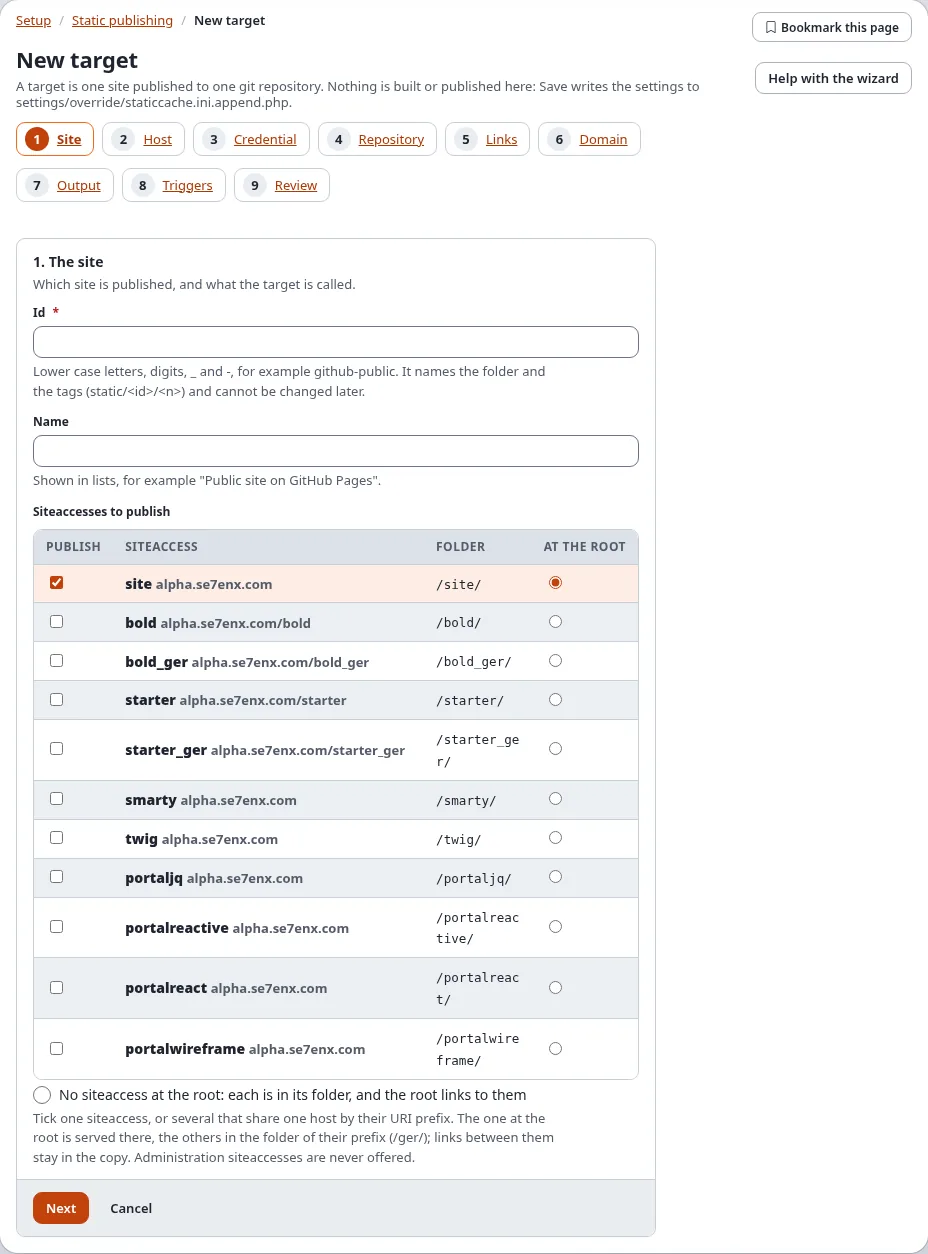
3. Search
Search=enabled makes the site's search forms go to search.html, which searches an index kept per language in the
browser. [StaticPublishSettings] SearchMaxBytes (2 MB by default) limits one language's index; above it the index keeps
fewer words per page, then no teasers, then fewer pages.
4. Old addresses
Documentation gets reorganized. With Extras[]=redirects the build writes a small page at each old address
(the former addresses of renamed or moved nodes, custom aliases and URL wildcards without *) that sends the visitor to the new one,
so links in issues, forums and search results keep working.
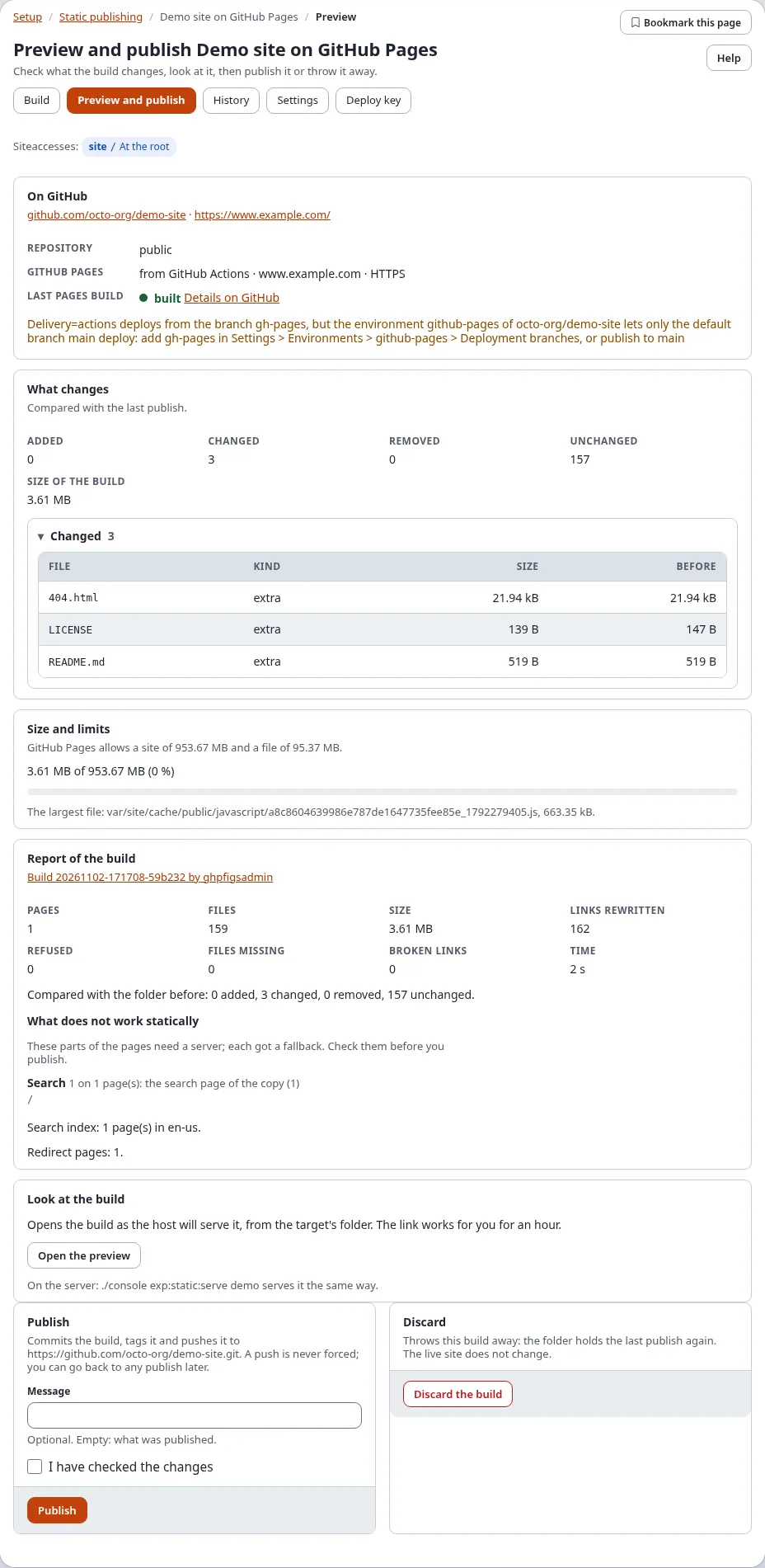
5. Build, check links, publish
./console exp:static:build docs --dry-run
./console exp:static:build docs
./console exp:static:diff docs --check-links --mount=/docs/
./console exp:static:publish docs
The link check follows every link and file of every page below /docs/ as a browser would and lists what it does
not find; fix those before you publish. Then, in the repository's Settings > Pages, deploy from gh-pages.
6. Publish with every release
Publish the docs when the project releases: from the release job of your CI
(CI and GitHub Actions), or with When content is published in step 8
so every edit is online a few minutes later. Every publish is tagged static/docs/<n>, so the docs of a release can
always be found, and rolled back to.
Next step
From an existing static HTML site to Exponential and back to static.