Develop in public, publish free
A tutorial for developers and small teams: the site's code lives in a public GitHub repository, editors write the content in Exponential, and the public site is a static copy on GitHub Pages. Nobody pays for hosting the public site, and everybody can see how it is made.
Guides · Related: Static publishing: CI and GitHub Actions, Develop with git
What you'll have at the end
- A repository with the site's design and extensions, open for issues and pull requests.
- An Exponential installation where editors write, which may stay private.
- A second repository holding the published static copy, served at
https://<owner>.github.io/<repository>/. - A publish that runs by itself after content changes.
1. Two repositories, two jobs
| Repository | Holds | Who writes it |
|---|---|---|
example/site (the code) | the design, the extensions, the settings without secrets | developers, through pull requests |
example/site-static (the copy) | the built pages and files | only Exponential, through exp:static:publish |
Keep them apart. The copy's branch belongs to static publishing: a commit made there by hand makes the next push wait
(rejected (fetch first)). Never put settings/override/ or secrets into the code repository; credentials stay in
Setup > Secrets.
2. Make the target
In Setup > Static publishing > New target, choose the front siteaccess, the repository example/site-static,
the branch gh-pages, relative links and the base path /site-static/.
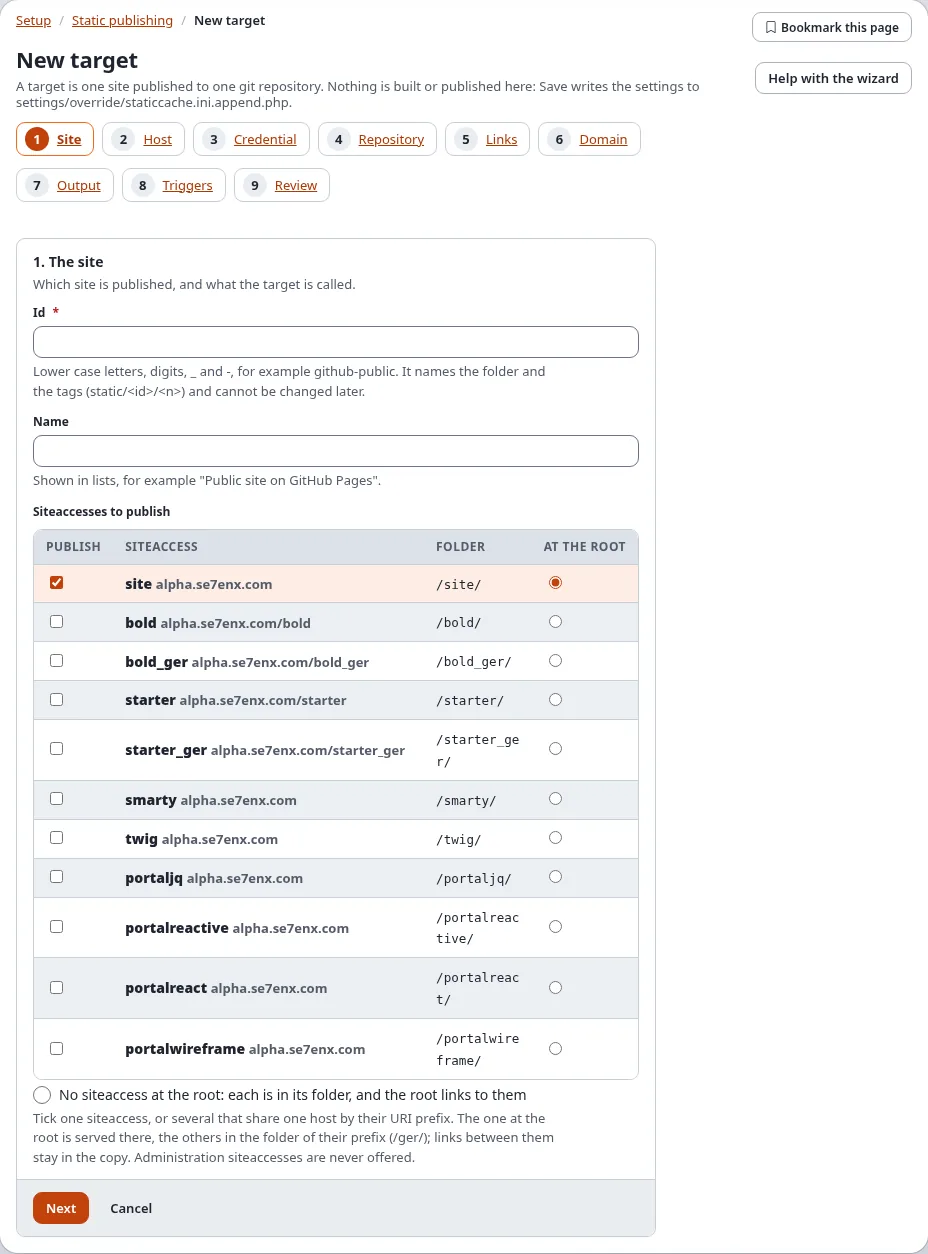
For the push, choose A deploy key made for this target in step 3 with the SSH address [email protected]:example/site-static.git. Save opens the Deploy key page: Make the key, then add its public half to example/site-static with write access
(SSH deploy keys). A deploy key reaches only that one repository, which suits a
public project well.
3. Build, check, publish
Build, read the report and the changes on the preview, then Publish. On the console:
./console exp:static:publish site-static --build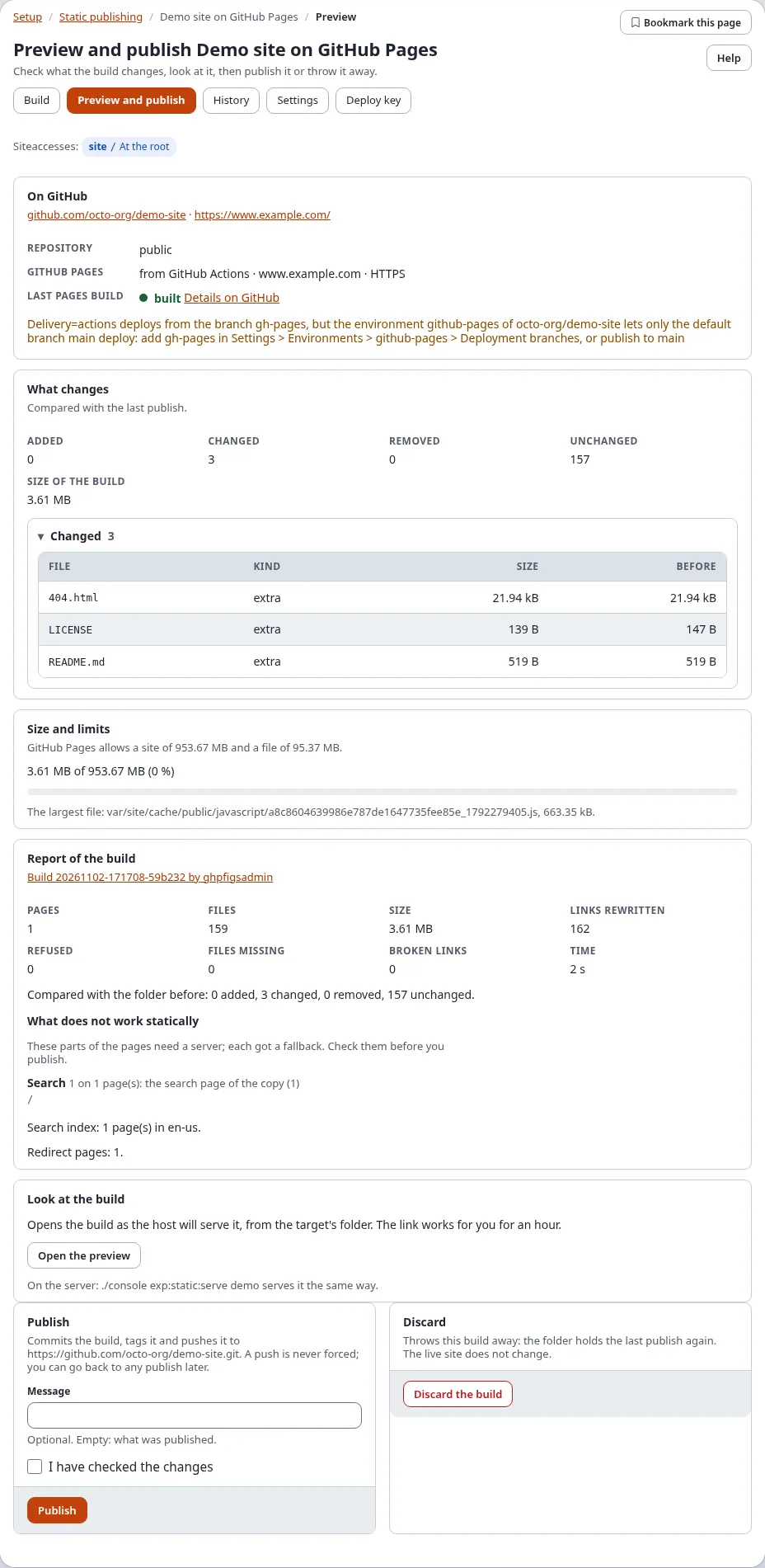
In the copy's repository, Settings > Pages: deploy from the branch gh-pages, folder / (root).
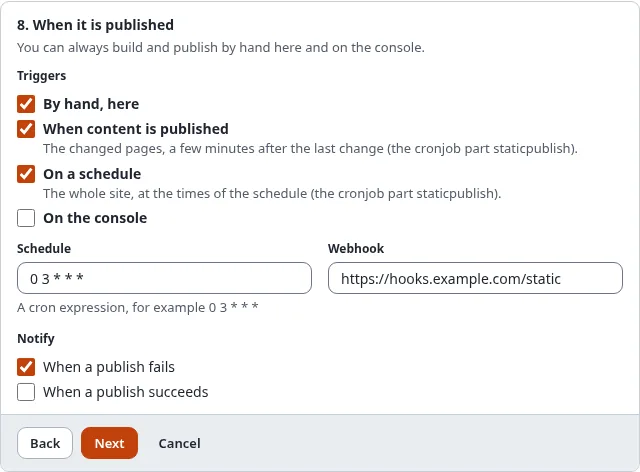
4. Let content publish itself
In step 8 of the wizard, Triggers, tick When content is published. Each publish in Exponential marks its pages stale; after
the debounce (PublishDebounce, 120 seconds by default) the cronjob part staticpublish builds just those pages and
publishes them. Add the cronjob part to your schedule if it is not there yet.
5. Work in public
- Developers change the design in
example/siteand deploy it to the installation as usual; the next build carries it into the copy. Content triggers build only changed pages, so publish a full build after a design change. - Every publish is a tag
static/site-static/<n>in the copy's repository: anybody can see what changed and when. - If a publish went wrong, roll back in History; the rollback is a new commit, the history stays.
Without a server: the starter
If you would rather build entirely on GitHub, start from the template exponential-static-site-starter: its workflow installs Exponential, brings in your site from a database dump or a site package plus your code, builds and deploys to Pages. Editing then happens in a local installation, and the dump is committed. See Static publishing: CI and GitHub Actions.