Apps and API keys
This page is for managers and administrators who must decide how programs are allowed to talk to Exponential: a mobile app, a partner's system, an import script, an agency's tool. It explains the three credentials the platform offers, how each is controlled, what is recorded, and a set of house rules. The technical page is OAuth and API keys.
Contents
- Three credentials, chosen by who the program acts for
- OAuth2 for apps whose users sign in
- Personal API keys
- expservices tokens
- Control, limits and the audit trail
- House rules for a business
Three credentials, chosen by who the program acts for
From OAuth and API keys:
| The program | Use |
|---|---|
| Acts for many users who sign in themselves (a mobile app) | OAuth2 |
| Is one user's own script | A personal API key |
| Drives administration services (apps, portals, shells) | An expservices token |
None of them is a password: an API key "cannot sign in to the site or the administration" (Personal API keys).
OAuth2 for apps whose users sign in
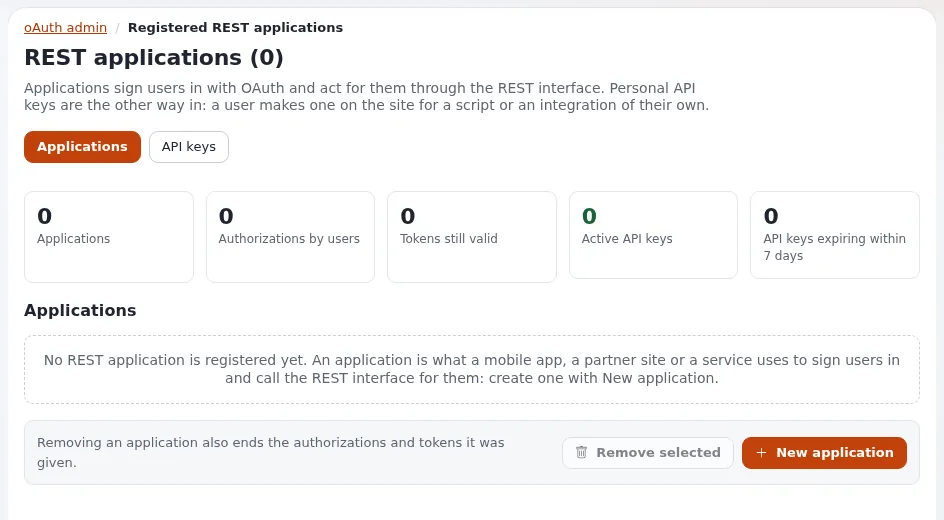
- An administrator registers the app under Setup > oAuth admin: identifier, secret, redirect address.
- The app sends the user to the site's authorize page; the user signs in and allows the app. The user needs the
policy
oauth/authorize, which can be limited by siteaccess. - The app exchanges a code for a token, and refreshes it when it expires (one hour by default).
Source: 3.1 OAuth2 tokens. Important for a business:
"The client secret belongs on a server. An app that cannot keep a secret (a mobile or browser app) is a public
client: it is stored without a secret, sends none and must use PKCE with S256"
(OAuth2 for third-party applications).
Removing an app in the administration also removes its authorizations and tokens
(7. The administration).
Personal API keys
New in 6.0.15 (Personal API keys):
- A user with the policy
apikey/createmakes a key under My account > API access, names it, ticks the scopes it needs and picks a lifetime. The key is shown once. - Requests with the key run as its owner, limited to the key's scopes, "and never beyond the owner's own policies".
- Only a salted hash of the secret is stored; "nobody can show a key again, not even an administrator".
- Keys end when revoked, when they expire, or when the owner is disabled or removed. Revoking "takes effect at the next request on every server".
Scopes stand for policies of the owner: read, publish (create), edit and remove as shipped. A key for a read-only integration gets only the read scope (6. Scopes).
expservices tokens
The remote services have their own personal tokens, created per user, with a lifetime of 1 to 365 days (90 by default). Requests sign in as the token's user for that request only, with the same policies; "a token cannot create tokens" (Remote services: personal API tokens). See Remote services.
Control, limits and the audit trail
| Control | Default | Source |
|---|---|---|
| Keys per user | 10 | 8. Auditing and limits |
| Longest key lifetime | 365 days | same |
| Requests per key and minute | 120, counted in APCu; without APCu not enforced, and the API keys page says so | same |
| Overview of every key | Setup > oAuth admin > API keys: active, expiring within seven days, never used, expired, revoked; search, filter, revoke one or many with a confirmation | 7. The administration |
| Audit events | every key made, revoked, first used and refused, with the reason (for example revoked, expired, scope, rate limited); never the secret | 8. Auditing and limits |
| expservices tokens | token made, revoked and failed events in the audit trail | Remote services |
For a business this answers the auditor's questions "who could reach our content by program, and what did they do?" from the audit trail.
House rules for a business
Adapted from the good practice of the technical page:
- To do: One credential per program, so one can be revoked alone.
- To do: A dedicated user for each integration, not the administrator, with the smallest role that works.
- To do: The smallest scope: read only unless the program must write.
- To do: Secrets in environment variables or a secret store, never in a repository, a URL or a log. (A key sent in the address is refused before any lookup.)
- To do: Short lifetimes and rotation; put expiry dates in the operations calendar.
- To do: A monthly look at the API keys page for keys never used, keys about to expire and refusals.
- To do: Offboarding: when a partner contract or an employee leaves, their keys and tokens are revoked the same day.
- To do: HTTPS only for every API request.
Related pages
- REST API v1 and v2 for businesses
- Remote services
- OAuth and API keys
- Personal API keys
- Access reviews
- Free documentation: this page is free to copy, translate and improve under the GNU FDL 1.3.
Become an Exponential Partner
Partners share their information, provide funding, contribute back and develop the products with us, and that is how Exponential grows. A partner website and dashboard are planned for mid-2027: please become a partner today to speed up our growth rate and land new features faster.