Activating a theme: ActiveExtensions and ActiveAccessExtensions
This page is for designers testing a theme on an installation, and for administrators installing one.
Two switches
Setting (site.ini [ExtensionSettings]) | Scope | Use it when |
|---|---|---|
ActiveExtensions[] | The whole installation | The theme's settings are safe for every siteaccess (usual case) |
ActiveAccessExtensions[] | One siteaccess (set in that siteaccess's settings) | The theme must not touch other siteaccesses at all |
In the browser
- Open Setup > Extensions (
/setup/extensions). - Find the theme's card and press Activate.
- Press Review changes: the page shows the resulting
ActiveExtensions[]lines and the risks. - Press Apply changes. The page names the file it saved and the backup copy it kept.
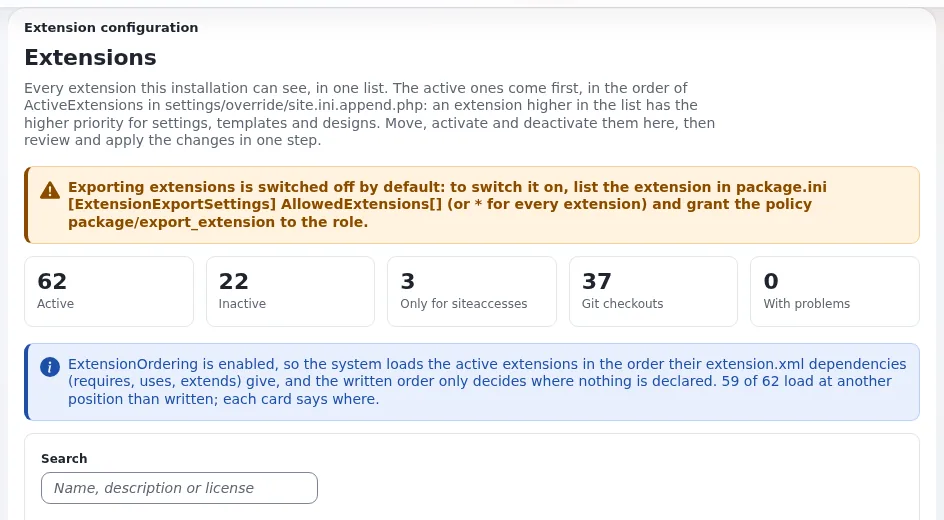
The whole page: The Extensions page.
On the command line
./console exp:ini add 'site.ini/ExtensionSettings/ActiveExtensions[]' mytheme global --dry-run --allow-root-user
./console exp:ini add 'site.ini/ExtensionSettings/ActiveExtensions[]' mytheme global --allow-root-user
The first prints the change without writing; the second writes it to settings/override/site.ini.append.php with a
backup. For one siteaccess, use the scope siteaccess:<name> and ActiveAccessExtensions[].
Make the change visible
php bin/php/ezpgenerateautoloads.php -e
php bin/php/ezcache.php --clear-all --allow-root-user
Expected from the first: Found <n> classes, added <n> of them to the autoload array. Then reload the PHP service
that serves the site (PHP-FPM or Exponential Velocity) so that its workers see new classes
(Deploying).
Check
- Setup > Extensions lists the theme as active.
- Setup > About shows its version.
- A page of the siteaccess that uses the design shows it.
Related pages
- Loading order and which theme wins
- Registering the design
- Extensions guide, section 4
- Free documentation: this page is free to copy, translate and improve under the GNU FDL 1.3.
Become an Exponential Partner
Partners share their information, provide funding, contribute back and develop the products with us, and that is how Exponential grows. A partner website and dashboard are planned for mid-2027: please become a partner today to speed up our growth rate and land new features faster.