The package creator wizard, step by step
This page is for designers who pack classes, content or a theme into an Exponential package in the browser. Nothing
on the site changes while you use the wizard; it only writes a new package into the local repository.
Before you start
- The
package/createpolicy (limited by type, creator and role); without it the button is greyed out. - For an extension export: exporting switched on (Exporting an extension as a package).
Step by step
- Open Setup > Packages (
/package/list) and press Create new package (/package/create). - Choose a wizard and press Start the wizard:
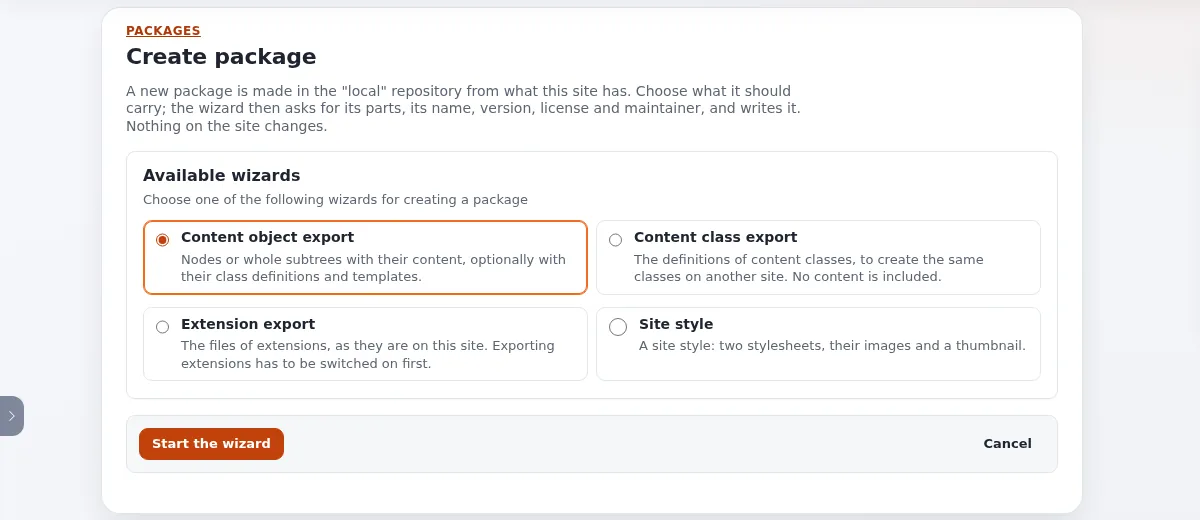
| Wizard | Exports | Its own steps |
|---|---|---|
| Content class export | Class definitions | Content classes to include |
| Content object export | Nodes or subtrees with content | Content objects to include, Content object limits |
| Extension export | Files of extensions | Extensions to include |
| Site style | Two stylesheets, images, a thumbnail | Package thumbnail, CSS files, Image files |
- Each step shows the list of steps at the top, "Step n of m", its name and what it asks for. Use Continue, Back (keeps what you entered) and Cancel (writes nothing). Enter in a field is Continue.
- Do the wizard's own steps. The class picker has a filter and "n of m selected"; the content picker has Add node, Add subtree and Remove selected; the options step sets classes, templates, siteaccesses, versions and languages.
- Package information: name (lower case letters, digits and
_), summary, description, version, format (Classic XML or JSON), license (Choosing a license), host and packager. - Package maintainer: person, email and role. This step is left out when your role may give no maintainer role. Use a public contact address.
- Package changelog: who and what. The last step shows the Review of the whole package.
- Press Create package. The package's page opens with Download, Install and the other actions.
When something is wrong, the step stays, a summary at the top lists the errors as links, and each field shows its error under it.
After creating
- Download writes
<name>-<version>.ezpkg(or Download as JSON). - Validate on the package's page checks it as an upload would be checked (Validating a package).
- To install it elsewhere, see Installing your package on a test site.
Related pages
- The package wizard
- Packages, section 8
- Free documentation: this page is free to copy, translate and improve under the GNU FDL 1.3.
Become an Exponential Partner
Partners share their information, provide funding, contribute back and develop the products with us, and that is how Exponential grows. A partner website and dashboard are planned for mid-2027: please become a partner today to speed up our growth rate and land new features faster.