Fetching packages with ezupdate
This page is for administrators who want a package from a package server on an installed site without downloading
and uploading it by hand. ezupdate reads the server's index.xml, shows what it offers next to what you have, and
fetches the archive straight into the local package repository. Installing it is then done on the kernel's package
pages.
Contents
- Open a server's packages
- The list
- Fetch a package
- Then install it
- From the command line
- Limits and errors
Open a server's packages
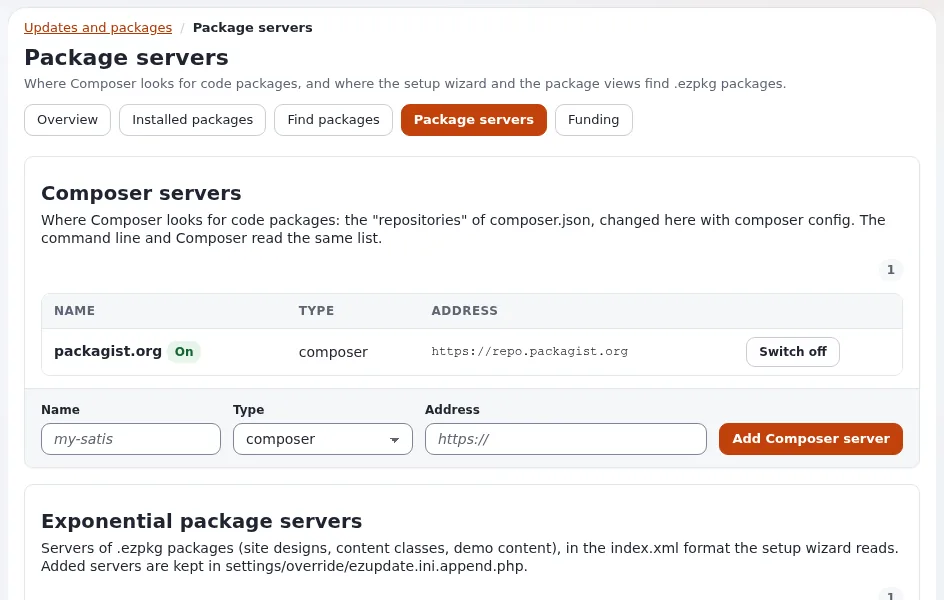
On Setup > Updates and packages > Package servers, press Packages on a server's row: /update/packages/<server>.
Without a server name the first one, the built-in server of package.ini, is shown. Viewing needs update/ezupdate;
fetching needs update/manage (checked when you press the button, not only by hiding it).
The list
The page "Packages on %server" shows every <package> of the server's index.xml, sorted by name:
| Column | From |
|---|---|
| Package | the name attribute (and summary) |
| Type | the type attribute: site, contentclass, contentobject, sitestyle, extension |
| Local copy | the version of the package of that name in the local repository (eZPackage::getVersion()), or none |
| Actions | Fetch, or Fetch again and Open (the local package's page, /package/view/full/<name>) when there is a local copy |
A Filter narrows the list as you type. "This server lists no packages, or its index.xml could not be read." means
the index was empty, unreachable or not a <packages> document.
Fetch a package
- Press Fetch on its row ("Fetching..." while it runs).
- ezupdate downloads the archive from the
urlof the index entry and imports it witheZPackage::import(), the same import as the upload page, with the same archive checks. - The page says "The package %package %version is in the local package repository now."
Fetch again asks "Replace the local copy with the one from the server?" and then removes the local package before it fetches. Removing the local copy does not uninstall what it installed.
The archive is written to a temporary file in the cache directory (ezupdate/<name>.ezpkg) and deleted after the
import. The package lands in the repository its <vendor> names, for the 7x packages var/storage/packages/7x/.
Then install it
Fetching only imports. Open Setup > Packages, find the package (it is "Not installed" if it has install items),
open its page and press Install (Installing and uninstalling). A site package
fetched this way is "Imported only": it is used by the setup wizard, the kickstarter or exp:install, for example for
an offline install, not installed from the package pages.
From the command line
php extension/ezupdate/bin/php/ezupdate.php packages                    # the first server's packages
php extension/ezupdate/bin/php/ezupdate.php packages acme
php extension/ezupdate/bin/php/ezupdate.php fetch acme acme_site_democontent
php extension/ezupdate/bin/php/ezupdate.php fetch acme acme_site_democontent --replace
fetch <server> <package> [--replace] "download[s] a .ezpkg into the local package repository"; --replace replaces a
package already there. Then install with php ezpm.php install <name> or on the package's page.
Limits and errors
From extension/ezupdate/classes/ezupdatepackageservers.php:
| Check | Limit |
|---|---|
| Transport | the PHP curl extension, HTTPS only, also for redirects (at most 5) |
index.xml | at most 1 MiB, root element <packages> |
| archive | at most 256 MiB; its url must be https:// |
| time | 15 seconds to connect, 300 seconds in all |
| proxy | site.ini [ProxySettings] ProxyServer when set |
| Message | Means |
|---|---|
| "The package is already in the local repository." | use Fetch again or --replace |
| "The server does not offer this package." | the name is not in the server's index |
| "The package address must be an https:// URL." | the index entry's url is not HTTPS |
| "Could not fetch %url: %reason" | the download failed; the reason is curl's |
| "The server did not answer with a package index." | index.xml is not a <packages> document |
| "The file is not a valid package." | the import refused the archive |
| "The PHP curl extension is needed to reach a server." | install or enable curl for PHP |
Related pages
- Packages in the administration
- Package servers in ezupdate
- Importing a package
- Downloading a package by hand
- ezupdate: updates and packages in the admin
- Site packages: start here
- Free documentation: this page is free to copy, translate and improve under the GNU FDL 1.3.
Become an Exponential Partner
Partners share their information, provide funding, contribute back and develop the products with us, and that is how Exponential grows. A partner website and dashboard are planned for mid-2027: please become a partner today to speed up our growth rate and land new features faster.