Lesson 8.2: Accessible content
The administration and the site's design can be built for accessibility, but whether a page works for someone who uses a screen reader also depends on the editor: alternative texts, heading order and link texts are written by people, not by the software. This lesson gives editors the habits and a checklist.
At a glance
| Course | Editors 201 |
| Module | Module 8: Quality and accessibility |
| Duration | 60 minutes (20 presenting, 40 exercise) |
| Level | Intermediate |
| Audience | All editors |
| Prerequisites | Editors 101, modules 4 and 5 |
Learning objectives
After this lesson, learners can:
- write an alternative text that says what an image shows and why it is there, and recognize a decorative image;
- structure a text with headings in order, without skipping levels;
- write link texts that make sense on their own;
- give a table a caption and keep it for tabular data;
- review an article against a short accessibility checklist.
Trainer's notes
How to present it
Sources: Accessibility standards and Images, media and uploads.
- Why editors matter (3 minutes). The project's accessibility statement says it plainly: alternative text, heading order and link text in published content depend on editors; the image fields offer an alternative text field, but nothing forces editors to fill it unless the site requires it.
- Alternative text (5 minutes). Say what the image shows and why it is there, in a sentence. For a decorative image (a pattern, a divider) an empty alternative text is right, so screen readers skip it. Where the site uses Exponential Intelligence, its image fields offer Write alt text and Decorative (empty alt text); the editor reviews the suggestion and chooses.
- Headings (4 minutes). Use the paragraph style list; one main heading per page (usually the title), then headings in order, never a level skipped for looks. Screen reader users jump from heading to heading.
- Links (3 minutes). "Read the opening hours", not "click here". A list of links read out of context must make sense.
- Tables and language (3 minutes). Tables for tabular data only, with a caption and a header row. Short sentences, explained abbreviations.
- The checklist (2 minutes). Hand it out (below, in the exercise).
Common questions
How long should an alternative text be? As long as needed to say what matters, usually one sentence. The caption need not be repeated.
What about images of text? Avoid them; if they must be used, the alternative text contains the text.
Does the site check accessibility for us? The administration warns about some things (for example a required alternative text); most of the checklist is the editor's judgment.
Pitfalls
- "Image of ..." Screen readers already say it is an image. Start with what it shows.
- Bold lines as headings. Show the status bar path in the editor: paragraph » strong is not a heading.
- Color as the only signal. "The items in red are mandatory" does not reach everyone; say it in words.
Hands-on exercise
Use the training installation and your article Our team, two places.
Open the article on the site and read it with the following checklist. Note each problem.
Check Yes / No Every informative image has an alternative text that says what it shows Decorative images have an empty alternative text Headings are real headings (paragraph style), in order, no level skipped Every link text makes sense on its own Tables have a caption and a header row and hold tabular data only Sentences are short; abbreviations are explained Open the article with Edit. Fix the headings with the paragraph style list.
Rewrite every link text that does not make sense alone.
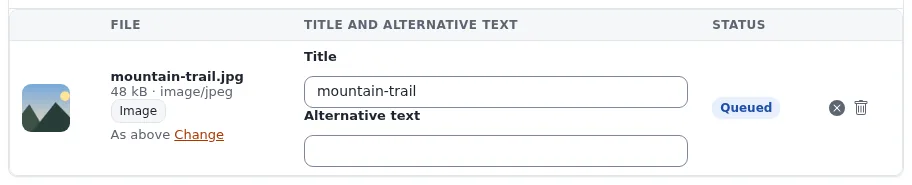
Open each embedded and related image item and improve its Alternative image text; publish each.
If your article has a table, add a caption.
Publish the article.
Swap with a neighbor: review their article with the checklist and tell them one improvement.
If your site uses Exponential Intelligence, open an image with Edit and look at Write alt text and Decorative (empty alt text); do not send anything unless the trainer says so.
Expected result
- The learner's checklist has a "Yes" in every row after the fixes.
- The neighbor's review found at most minor points.
- The trainer checks by reading two alternative texts and two link texts aloud and asking the class whether they work without seeing the page.
Quiz
- Write an alternative text for a photo of a team of five at a whiteboard planning a website.
- When is an empty alternative text right?
- True or false: it is fine to skip from a level 2 heading to a level 4 heading for a smaller font.
- Rewrite the link text "click here" for a link to the opening hours.
- Which three things in published content does the project's accessibility statement say depend on editors?
Answers
- For example: "Five colleagues at a whiteboard sketching the pages of the new website."
- For a decorative image that carries no information.
- False. Headings go in order; the design, not the heading level, sets the size.
- For example: "See our opening hours".
- Alternative text, heading order and link text (Accessibility standards).
Further reading
- Accessibility standards: what the project complies with and the known gaps.
- Images, media and uploads: alternative text and titles.
- Advocating for accessibility: talking about accessible publishing.
Related pages
- Module 8: Quality and accessibility
- Editors 201: course overview
- Trainers: start here
- Free documentation: this page is free to copy, translate and improve under the GNU FDL 1.3.
Become an Exponential Partner
Partners share their information, provide funding, contribute back and develop the products with us, and that is how Exponential grows. A partner website and dashboard are planned for mid-2027: please become a partner today to speed up our growth rate and land new features faster.