Block definitions
This page is for designers who want to know which blocks editors can place and how to add looks to them. Every block
type is a [BlockDefinition_<identifier>] section of extension/explayouts/settings/explayouts.ini.append.php.
Contents
Anatomy of a definition
[BlockDefinition_list]
Name=List
Handler=expLayoutsListBlockHandler
ViewTypes[]=list
ViewTypes[]=grid
ViewTypes[]=list_numbered
ViewTypes[]=list_zigzag
ViewTypes[]=list_accordion
ViewTypes[]=grid_featured
HasCollection=1
Category=listing| Key | Meaning |
|---|---|
Name | the label editors see |
Handler | the PHP class that defines the block's parameters and data |
ViewTypes[] | the shapes the block can render in; editors pick one |
IsContainer=1 + Placeholders[] | the block holds other blocks in named places (two_columns has left and right) |
HasCollection=1 | the block shows content from a collection (picked items or a query) |
Category | the group in the editor's block list: basic, containers, listing, gallery, components, placeholders |
[BlockSettings] AvailableBlocks[] lists the blocks editors may add.
The shipped blocks
| Category | Blocks |
|---|---|
| basic | title, text, html, rich_text, image, button, spacer, divider, markdown, video, map, alert, badge, progress ... |
| containers | column, two_columns, three_columns, four_columns |
| listing | list, grid, list_zigzag, list_accordion, single (and others) |
| gallery | gallery, slider, thumb_gallery, grid_gallery, carousel, sushi_bar |
| components | hero, about, features, logos, quote, lead and the exp_component_* blocks |
| placeholders | tpl_block (a template part of the page), full_view (the page's own content) |
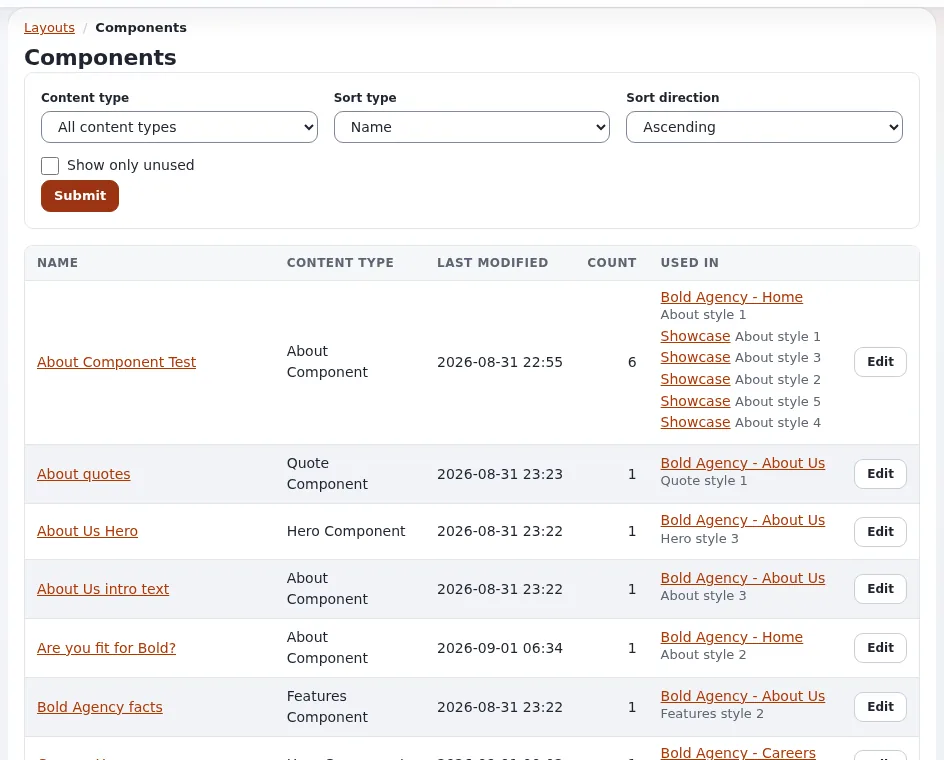
The exact list and categories are in the INI file; doc/eng-us/bc/6.0/LAYOUTS.md has a block catalogue with parameters.
Adding a view type: no PHP
The cheapest way to give editors a new look: add a view type to an existing block and write its template. In your
design extension's settings/explayouts.ini.append.php:
[BlockDefinition_list]
ViewTypes[]=mytheme_cards
then let the block template draw it. The shipped block/list.tpl has one markup; the media design's block/list.tpl
dispatches by view type to block/list/<view_type>.tpl, which is the pattern to follow:
{* design/mytheme/templates/explayouts/block/list.tpl *}
def $vt = first_set( $block.view_type, 'list' )
include uri=concat( 'design:explayouts/block/list/', $vt, '.tpl' ) block=$block
undef $vtand design/mytheme/templates/explayouts/block/list/mytheme_cards.tpl. See Block view templates.
Adding a block type
A new block type needs a handler class (PHP), so it is a developer's task: register it with Name, Handler,
ViewTypes[] (and HasCollection=1 for content), add a template per view type under block/, regenerate autoloads and
clear caches (doc/eng-us/bc/6.0/LAYOUTS.md, "Extending the system"). A container rarely needs its own handler:
expLayoutsContainerBlockHandler with IsContainer=1 and Placeholders[] is enough.
Related pages
- Block view templates
- Styling layout blocks
- Layouts for designers
- Free documentation: this page is free to copy, translate and improve under the GNU FDL 1.3.
Become an Exponential Partner
Partners share their information, provide funding, contribute back and develop the products with us, and that is how Exponential grows. A partner website and dashboard are planned for mid-2027: please become a partner today to speed up our growth rate and land new features faster.