Layouts for designers
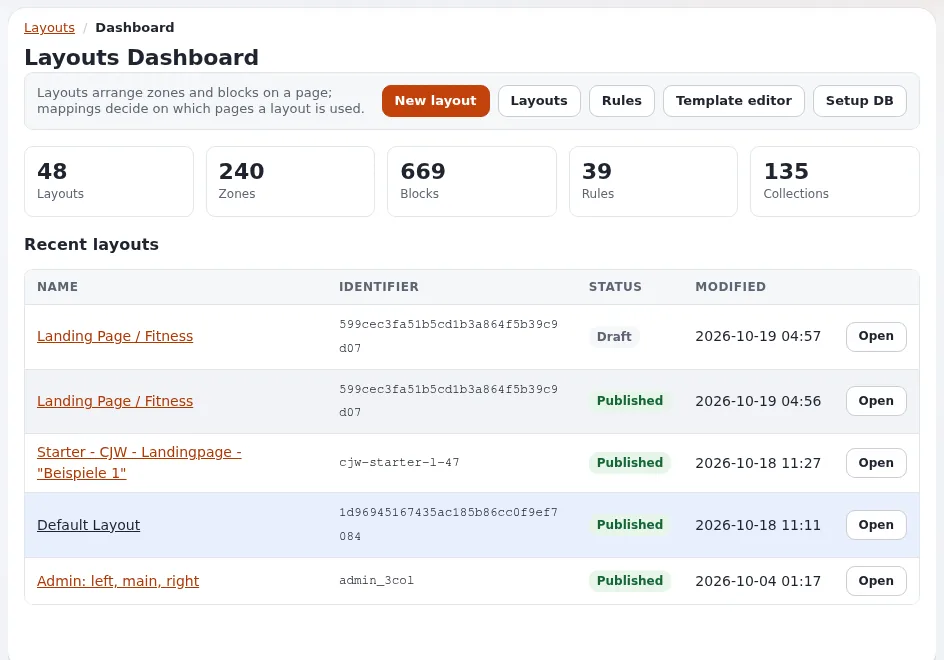
This page is for designers whose sites use the layouts editor, the page builder in which editors compose pages from blocks. Editors decide what goes on a page; designers decide how every block looks. The page explains the concepts, the rendering chain and where your templates plug in. Editors' side: The layouts editor; the full reference: Exponential Layouts.
Contents
Five ideas
| Idea | In one line | Designer's concern |
|---|---|---|
| Layout | a named arrangement based on a layout type | the grid of its zones |
| Zone | a named region of a layout (main, left, footer) | where blocks sit and how wide they are |
| Block | one item in a zone: text, image, list, hero ... | the block's markup and CSS per view type |
| Collection | the content a list-like block shows (picked or queried) | how items are drawn |
| Rule | which pages get which layout | none, but it explains which layout you see |
The rendering chain
- The pagelayout asks for a layout:
fetch( 'explayouts', 'resolve_layout', hash() )(orresolve_layout_for_node). - The resolver walks the enabled rules by priority and returns the first published layout that matches.
explayouts/layout.tpldraws the layout: with the layout type's own template ([LayoutType_<type>] Template=) or the zones one under another.explayouts/zone.tpl(orzone_blocks.tplinside a layout type template) draws each top-level block of the zone.- Each block is drawn by
explayouts/block/<definition identifier>.tpl, which can switch on$block.view_type.
If no rule matches, the pagelayout falls back to {$module_result.content}.
The templates
In extension/explayouts/design/standard/templates/explayouts/:
| Template | Draws |
|---|---|
layout.tpl | a layout: picks the layout type template or lists zones |
layouts/<type>.tpl | the grid of one layout type (1_column, 2_column, hero, sidebar_left ...) |
zone.tpl, zone_blocks.tpl | the top-level blocks of a zone |
block/<definition>.tpl | one block definition (title.tpl, list.tpl, two_columns.tpl, full_view.tpl ...) |
tpl_block/<name>.tpl | the "template block": a part of the page drawn by a template the block names |
A block template receives $block (with id, definition_identifier, view_type, name, values, and for
children parent_id and placeholder), $zone and $module_result. The full_view block prints
{$module_result.content}: the page's own content inside the layout.
Taking over the markup in your design
The layouts templates live in the standard design of the extension, so any design above standard in your cascade
replaces them by path. The media design has templates/explayouts/layout.tpl, zone.tpl, block/... and
tpl_block/... of its own; the starter design too. Copy only the block templates whose markup you want to change.
See Block view templates.
What to read next
- Layout types and zones
- Block definitions
- Shared layouts and linked zones
- Layout rules
- Styling layout blocks
- Tutorial: build a landing page with layouts
Related pages
- The pagelayout
- Fetching a layout in templates
- Free documentation: this page is free to copy, translate and improve under the GNU FDL 1.3.
Become an Exponential Partner
Partners share their information, provide funding, contribute back and develop the products with us, and that is how Exponential grows. A partner website and dashboard are planned for mid-2027: please become a partner today to speed up our growth rate and land new features faster.