Admin designs overview
This page is for designers who change the look of the administration, or style an extension's admin pages. It answers: which admin designs exist, how they stack on each other, and which rules apply to any template or stylesheet you add to them.
Contents
- The designs
- How they stack
- What admin4 brings
- admin4l: the admin drawn with layouts
- The editor design
- Rules for every admin template
- Where to go next
The designs
| Design | Folder | What it is |
|---|---|---|
admin | design/admin | the classic administration design; also the last fallback of the newer ones |
admin2, admin3 | design/admin2, design/admin3 | intermediate designs; admin3 brought the responsive frame |
admin4 | design/admin4 | the current design: complete and self-contained, with tokens, shared components and a dark mode (The admin4 design) |
admin4l | design/admin4l | a thin design on top of admin4 whose frame is drawn by layouts blocks |
editor | design/editor | the editor siteaccess: almost empty, the difference lies in its settings |
adminui | extension/exp_adminui/design/adminui | the AdminUI administration, with its own stylesheet and a right-to-left copy |
How they stack
On the demonstration installation:
admin    siteaccess: admin4l > admin4 > admin3 > admin2 > admin > standard
editor   siteaccess: editor > admin4l > admin4 > admin3 > admin2 > admin > standard
adminui  siteaccess: adminui > admin4l > admin4 > admin3 > admin2 > admin > standard
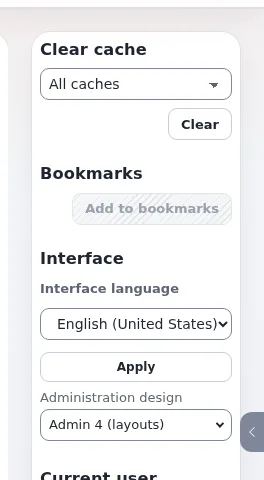
A signed-in user can also switch the administration design for themselves with the interface switch (Interface switch: design), so test admin changes in each design a user may pick.
What admin4 brings
- Tokens. Colors, spacing, sizes, radius and fonts are CSS custom properties
--a4-*indesign/admin4/stylesheets/components.css, with dark values underhtml[data-a4-theme="dark"](admin4 tokens). - Shared components.
.a4-card,.a4-btn,.a4-table,.a4-toolbar,.a4-filterbar,.a4-tag/.a4-badge,.a4-sr-only,.a4-skip-linkand more, in the same file (admin4 components). - Module stylesheets. One file per area in
stylesheets/modules/(setup.css,content.css,people.css,structure.css,workflow.css,help.css), loaded throughdesign.ini [StylesheetSettings] AdminComponentCSSFileList[](admin4 module stylesheets). - Light, dark and system modes. A pre-paint script (
javascript/a4_head.js, loaded as a file bypage_head_style.tpl) setsdata-a4-themebefore the first paint (The theme toggle and the pre-paint guard). - Right to left. Logical CSS properties throughout (Right-to-left designs).
- Content Security Policy ready. No inline scripts or styles in its templates.
admin4l: the admin drawn with layouts
design/admin4l holds a pagelayout.tpl and about two dozen block templates under templates/explayouts/block/
(admin_logo.tpl, admin_tab_menu.tpl, admin_left_menu.tpl, admin_breadcrumb.tpl, admin_module_result.tpl,
admin_footer.tpl, admin_theme_switch.tpl ...). The frame of the admin is an admin layout (layout types admin_3col,
admin_2col, admin_full in explayouts.ini) whose zones hold these blocks, so the frame can be rearranged with the
layouts editor. The pagelayout asks fetch( 'explayouts', 'resolve_admin_layout', hash( 'module', ..., 'view', ... ) )
for the layout of the current view, behind the safety switch explayouts.ini [AdminLayoutSettings] Enabled.
Everything else comes from admin4.
The editor design
design/editor contains only a README and empty folders. Its README explains that what makes the editor's
administration different is in the siteaccess settings (settings/siteaccess/editor): fewer menu tabs, modules that
answer 404, no developer toolbar. Add templates there only where the editor's administration must look different.
Rules for every admin template
These are the project's rules for every admin design (admin, admin3, admin4, admin4l and new ones) and extension
admin templates; tests/tests/design/AdminStylingRulesTest.php enforces them:
- No
<style>block and nostyle=""attribute in a template. CSS lives in the design'sstylesheets/. - Reuse the shared components before writing CSS; add a new shared component centrally only if nothing fits.
- Only tokens for colors, radius, spacing and fonts; no hard-coded values, no local token aliases. One accent, one radius.
- Every new color token gets a dark value for
html[data-a4-theme="dark"]in the same change. - Module CSS goes in
stylesheets/modules/<group>.csswith.a4-<module>-*class names. - Check light and dark, at 1440 px (scale 1) and 960 px at scale 2 (200% zoom): no white card on a dark background, contrast at least 4.5:1, no horizontal overflow, no console errors.
- CSS reaches the browser through the packer: never add
?v=version queries to links.
The contributor documentation is Admin styling.
Where to go next
- Styling an extension's admin page: Tutorial: add an admin module stylesheet.
- Checking a page: The admin styling rules test.
- Colors: admin4 tokens.
Related pages
- Designs and siteaccesses
- Dark mode overview
- CSP-safe design
- Free documentation: this page is free to copy, translate and improve under the GNU FDL 1.3.
Become an Exponential Partner
Partners share their information, provide funding, contribute back and develop the products with us, and that is how Exponential grows. A partner website and dashboard are planned for mid-2027: please become a partner today to speed up our growth rate and land new features faster.