Cache clearing and warming
This page is for system administrators and support staff at hosting companies. It answers: which cache to clear for which kind of change, in which order, with which command, how clears behave on a busy site, and how to warm a site afterwards so the first visitors do not pay for it. The sources are Caches, Chapter 10, section 10.6, Cache control from the console and Preloading caches.
Contents
- Which cache for which change
- The order after a code change
- The commands
- Clears on a busy site
- The cleanup cronjob
- Warming
- Who cleared what
- Checklist
Which cache for which change
From Chapter 10, Which to clear, with php bin/php/ezcache.php:
| You changed | Clear |
|---|---|
an .ini setting | --clear-tag=ini (not --clear-id=ini, which misses the global INI cache) |
a .tpl file | --clear-tag=template |
a new .tpl file, an override rule, an extension or design | --clear-id=template-override,design_base |
| a stylesheet or script | --clear-id=ezjscore-packer,template-block, then the Velocity cache |
| content looks stale | --clear-tag=content |
| roles and policies | --clear-tag=user |
| an image alias definition | --clear-id=imagealias |
| a translation | --clear-tag=i18n |
| a database restore or a write from outside Exponential | --clear-id=querycache |
| unsure | --clear-all (costs a slower first view of every page afterwards) |
Compiled templates are not compared with their source unless [TemplateSettings] DevelopmentMode=enabled, which live
sites should leave off. Under Velocity, restart after clearing INI caches (workers hold settings in memory) and clear
the response cache after template changes.
The order after a code change
"A page rendered by the old code between a cache clear and a PHP reload is cached again and looks as if the change had
not worked." The order: INI and template caches, then reload PHP-FPM and restart Velocity, and only then the
content, HTTP, template-block and response caches. exp:velocity deploy does exactly this, with PASS or FAIL per
step, on Velocity and on Apache-only sites (--no-velocity):
| # | Step |
|---|---|
| 1 | extension autoloads (--kernel: kernel autoloads too) |
| 2 | INI caches (--clear-tag=ini) |
| 3 | template, template-override, translation and design_base caches |
| 4 | engine archive, when Velocity runs from one |
| 5 | PHP-FPM: wait for OPcache to revalidate, or reload |
| 6 | restart Velocity, when it is running |
| 7 | content, exphttpcache, (with --packer) ezjscore-packer, and template-block caches |
| 8 | Velocity's response cache |
| 9 | warm-up: [DeploySettings] WarmUpURL[] requested once each in the background |
The steps are condensed from Velocity engines.
php bin/php/console exp:velocity deploy --dry-run --allow-root-user
php bin/php/console exp:velocity deploy --allow-root-user
The commands
| Command | Use |
|---|---|
php bin/php/ezcache.php --clear-id=<id>[,<id>], --clear-tag=<tag>, --clear-all | the classic cache clear |
./console exp:cache <group> [action] | every Setup > Caches action, plus static, HTTP, query and Velocity caches; ends with PASS or FAIL |
./console exp:cache clear --tag=ini --dry-run | what would be cleared, with sizes, changing nothing |
./console exp:cache status | every group in one screen |
php bin/php/console exp:velocity cache clear --apply | Velocity's response cache |
php bin/php/console exp:velocity restart | Velocity, after settings changed |
Run them as the site's user, so what they recreate stays writable for the web server; as root they need
--allow-root-user. exp:cache exits 0 when done, 1 when it failed, 2 on a usage error, which suits scripts.
Note
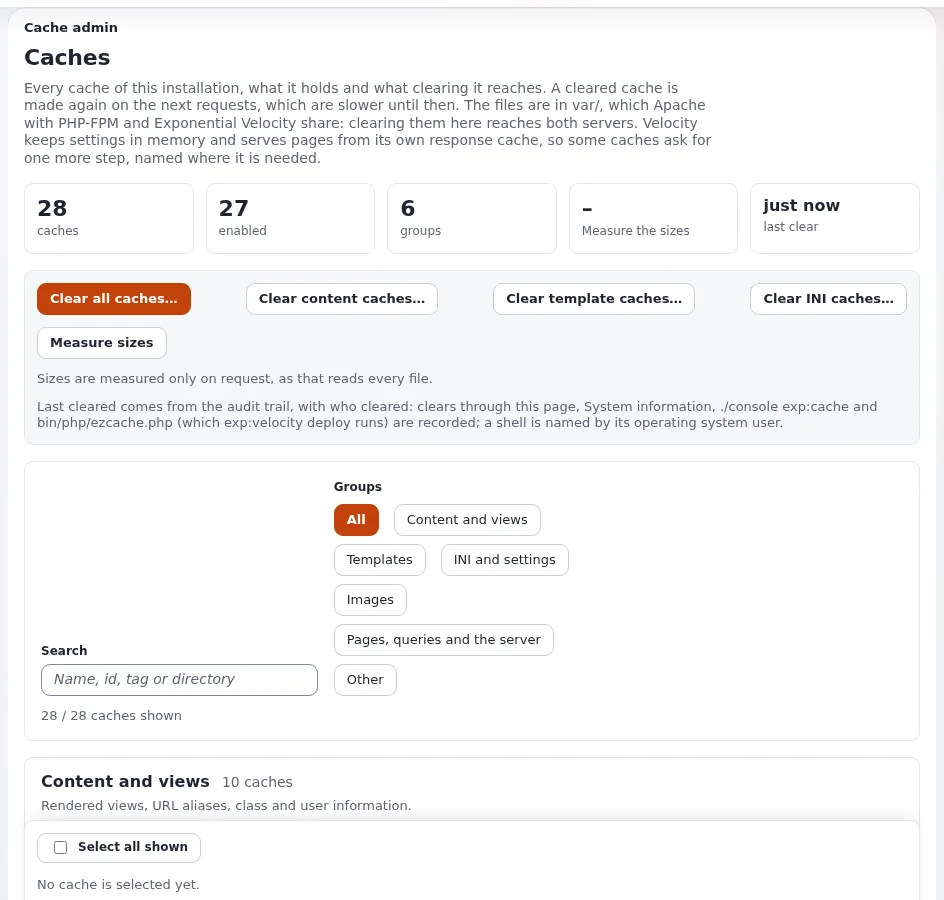
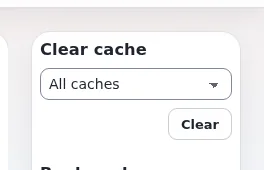
Setup > Caches (/setup/cache, policy setup/managecache) gives a customer's administrator the same actions in
the browser, grouped, with sizes and when each cache was last cleared. Most support questions about stale pages end
there: "Clear Velocity's response cache, or wait a few seconds. If it is a settings change, restart Velocity."
Clears on a busy site
Since 6.0.15 a clear renames a cache directory aside in one step and deletes it from there
(Cache clears that move directories aside): it returns quickly even
for hundreds of thousands of files, and nothing generated meanwhile is caught by the delete. Settings:
site.ini [FileSettings] RenameBeforeDelete=enabled and RenameExpiredCaches=enabled (both shipped).
When a change would clear the view caches of [ContentSettings] CacheThreshold nodes or more (250), the whole view
cache is expired instead and the log says "Expiring all view cache". Now and then after a large move is expected; for
ordinary edits it points at relations or viewcache.ini.
The cleanup cronjob
Clearing the view cache or template blocks only moves a timestamp, so files stay until the cronjob part
cache_cleanup removes them (files past their expiry or older than cronjob.ini [CacheCleanupSettings] MaxAge,
172800 s; HTTP cache and query cache files too). It runs per var directory:
php runcronjobs.php -s site cache_cleanupSchedule it for every customer site, or var/ grows. See Cron jobs.
Warming
| Tool | What it does | When |
|---|---|---|
php bin/php/console exp:warm (bin/php/warm.php) | requests every published page so no visitor pays for a render; --limit, --verbose, --json | after a clear, and on a timer shorter than the cache window |
php bin/php/preload.php --apply --siteaccess=<site> (Setup > Preload Sites) | crawls a site from its section pages up to a page limit and link depth, warms view cache, image aliases and compiled templates, lists broken links | after a deploy or a nightly clear; one run at a time |
[DeploySettings] WarmUpURL[] | pages requested once each by a background process at the end of exp:velocity deploy | always, for the front page and the admin login |
Examples from the sources:
php bin/php/preload.php --siteaccess=site --dry-run
php bin/php/preload.php --apply --siteaccess=site --max-pages=20 --max-depth=1
30 4 * * * cd /path/to/exponential && php bin/php/preload.php --apply --siteaccess=site -q
*/4 * * * * cd /path/to/exponential && php bin/php/warm.php --allow-root-user >> var/log/cache-warm.log 2>&1- The preloader warms files shared by Apache/PHP-FPM and Velocity. Velocity's response cache keeps an anonymous page
only
DefaultTtlseconds (30), so warming it ahead of visitors does not last. - Pages for signed-in users are not warmed: the run is an anonymous visitor.
- Warming renders pages, so it costs CPU. On a shared machine, schedule it at quiet hours and stagger customers.
- On the source's test installation,
exp:warmtook 9.6 s from cold for 142 pages and 0.3 s when warm (HTTP/2 and cache warming).
Who cleared what
Every clear is recorded in the audit trail as system.cache.clear, through the page, exp:cache and
bin/php/ezcache.php alike, with the operating system user for a shell. Setup > Caches shows when and by whom each
cache was last cleared to users who may read the audit system channel (Caches, Last cleared).
Support can therefore answer "who cleared the cache before the site went slow".
Checklist
- To do: Support has the "which cache for which change" table.
- To do: Deploys use
exp:velocity deployor the same order by hand. - To do:
cache_cleanupscheduled for every var directory. - To do: A warming strategy (exp:warm timer, nightly preload,
WarmUpURL[]) chosen per plan and staggered. - To do: The query cache cleared after every database restore.
Related pages
- Caching layers
- Deploying changes
- Slow site
- Preloading caches
- Cache control from the console
- Free documentation: this page is free to copy, translate and improve under the GNU FDL 1.3.
Become an Exponential Partner
Partners share their information, provide funding, contribute back and develop the products with us, and that is how Exponential grows. A partner website and dashboard are planned for mid-2027: please become a partner today to speed up our growth rate and land new features faster.