Audit trail
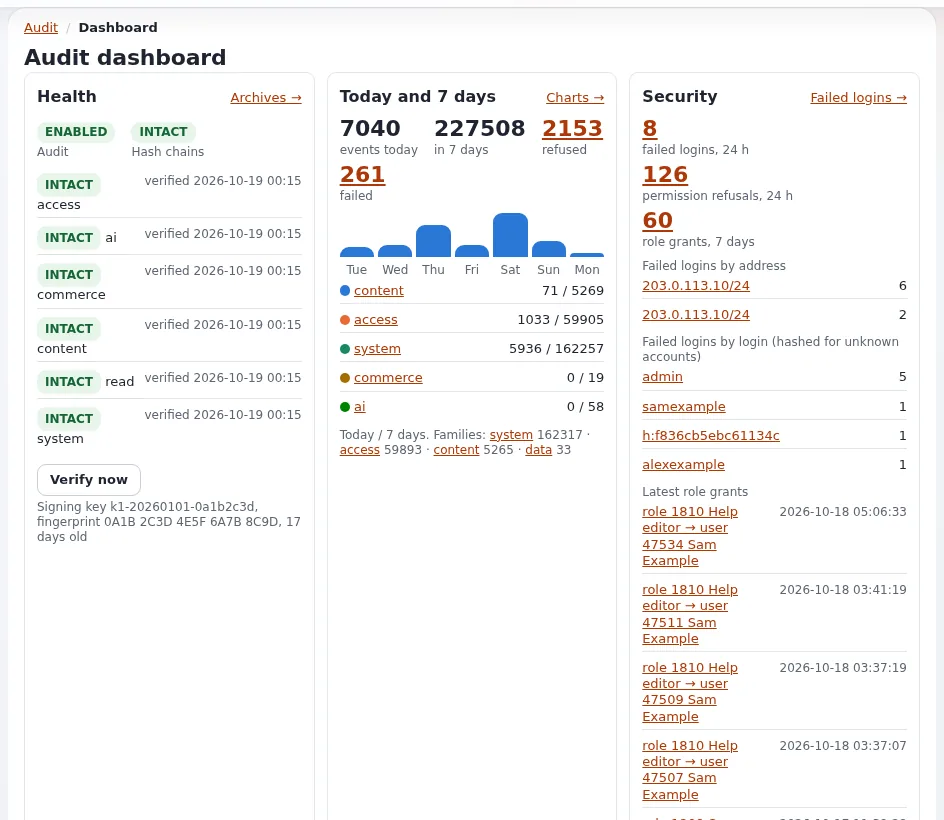
This page is for system administrators and security staff at a host. Every Exponential 6 site keeps a tamper-evident record of who did what: sign-ins and failures, role and setting changes, content removed, commands run, orders. It is on by default and needs no setup, but a host has three jobs: keep its cronjob running, get its alerts to a person, and keep a copy off the machine. The short reference is The audit trail; the full guide is Audit.
Contents
- What is recorded
- The commands a host uses
- The cronjob
- Verifying the chain
- Alerts
- Forwarding off the machine
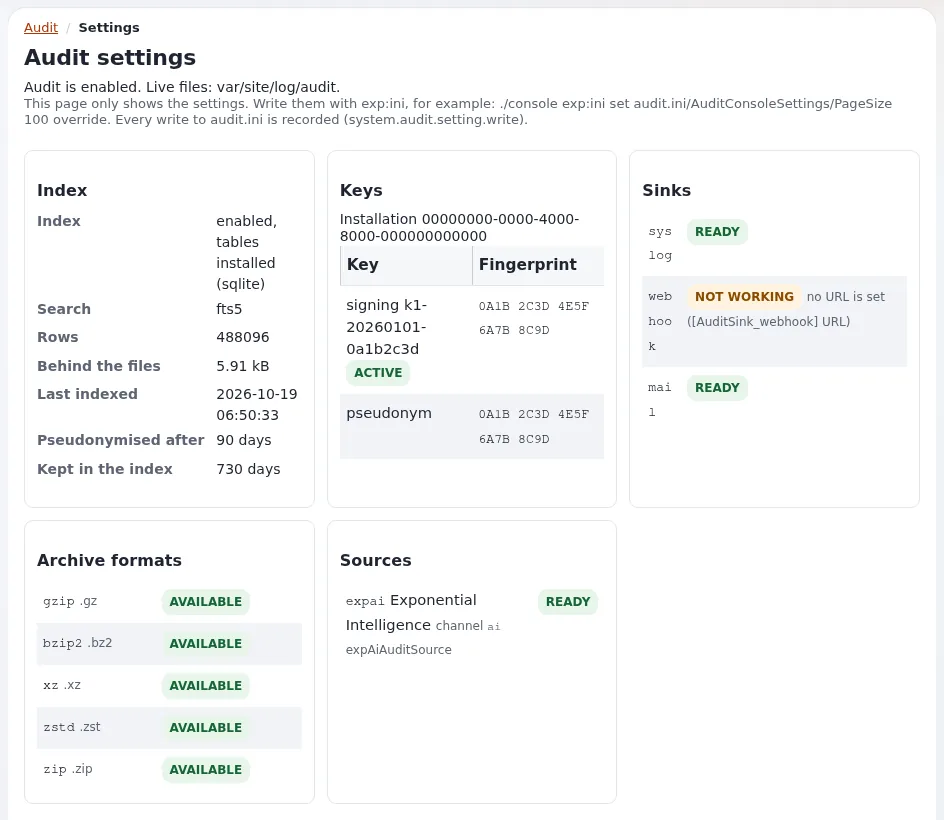
- Keys
- Disk, write failures and clusters
- Checklist
What is recorded
Each record is a line of JSON in a file per channel and day, var/<site>/log/audit/<channel>-<YYYY-MM-DD>.jsonl, and
each line carries the hash of the line before it, so a changed, removed or inserted line shows.
| Channel | Examples | Live / archived (days) |
|---|---|---|
content | publish, move, remove, hide, trash, versions, classes | 90 / 730 |
access | sign-in, failed sign-in, refused view, account lock, role assignment, password reset | 90 / 730 |
system | settings writes, cache clears, cronjob runs, commands, package installs, maintenance, deploys | 90 / 730 |
commerce | orders, payments (never card data), VAT, currencies | 90 / 730 |
read | sampled views, searches, downloads; only when reads are switched on | 30 / 90 |
Privacy by default: addresses truncated to /24 and /48, sessions hashed, user agents shortened, passwords, tokens and secrets never recorded. Retention and privacy settings: Log and data retention and Compliance and GDPR.
Who may read it inside the site: the policies audit/read and audit/manage, held only by Administrator in a new
installation. The administration's Audit tab is /audit/dashboard.
The commands a host uses
./console exp:audit status --allow-root-user                       # enabled, directory, key, each channel intact or broken
./console exp:audit verify --allow-root-user                       # exit 0 intact, 1 broken, 2 error
./console exp:audit verify --archives --allow-root-user            # the archives as well
./console exp:audit tail --channel=access --lines=20 --allow-root-user
./console exp:audit alerts recipients --allow-root-user            # who receives alert mail, and why
./console exp:audit sinks list --allow-root-user
exp:audit also has channels, show, checkpoint, search (--query=<text>), rotate, archive, restore,
purge, reindex, pseudonymise, export, import, key, alerts and cron
(From the command line).
The cronjob
The cronjob part audit is in the frequent group of settings/cronjob.ini. Every run indexes, delivers sink spools
and evaluates alert rules; once a day (after RotateAfter, 00:15 site time) it closes day files, verifies every
channel, archives what is older than LiveDays, purges what is older than ArchiveDays, pseudonymizes old index rows
and writes a signed checkpoint (4.1 Cron).
*/5 * * * * cd /var/www/vhosts/<domain>/<installation> && php runcronjobs.php -q frequentRun it as the site's user. A run takes a lock, so runs never overlap. The audit dashboard warns when the part has not run for an hour. Scheduling per customer: Cron jobs.
Verifying the chain
exp:audit verify exits with 0 (intact), 1 (broken) or 2 (error), so it fits any monitoring system:
./console exp:audit verify -q --allow-root-user || <your alert command>When a chain is BROKEN: do not edit or remove anything. Note the file, line and kind, copy the directory somewhere safe, and compare with what left the server (syslog copies, webhook receiver, checkpoints, archives) (4.4 Verify and restore). Then follow Compromised site.
Alerts
Shipped rules include brute_force (20 failures from one network in 5 minutes), brute_force_user (10 for one
account in 15 minutes) and admin_role_granted. Mail goes to the rule's Recipients[], else
[AuditAlertSettings] Recipients[], else [AuditSink_mail] Receivers[], else the site's AdminEmail
(4.5 Alerts).
Decide with each customer who receives alerts: the customer's administrator, the host's security mailbox, or both. Recipients can be addresses, named groups, users, user groups or roles:
# settings/override/audit.ini.append.php
[AuditAlertSettings]
Recipients[]
Recipients[]=admin
Recipients[]=address:[email protected]
Mail is sent by the cronjob only, at most one per rule and recipient within [AuditSink_mail] Throttle (900 s).
Forwarding off the machine
A sink sends records off the server, "so a compromised machine cannot quietly rewrite its own history" (Security hardening).
| Sink | Transport |
|---|---|
[AuditSink_syslog] | Transport=local (journald's native socket, else /dev/log; journalctl -t exponential), journald, devlog, udp, tcp, tls (Host, Port) |
[AuditSink_webhook] | a signed HTTPS POST (HMAC-SHA-256 over timestamp and body), spooled with retries |
[AuditSink_mail] | mail on critical events |
# settings/override/audit.ini.append.php: every channel to a central collector
[AuditSink_syslog]
Transport=tcp
Host=logs.example.com
Port=514

[AuditChannel_content]
Sinks[]=syslog

[AuditChannel_commerce]
Sinks[]=syslog
Network transports go through the spool and are sent by the cronjob part. A host that runs a central log platform can offer this to every customer; see Security log for the other security sources.
Keys
settings/override/audit.ini.append.php holds an installation id, the signing keys and the pseudonym key, generated
on the first event (mode 0640, never committed). Back it up as a secret with the rest of settings/override/:
without the signing keys, archives and checkpoints signed with them can no longer be verified. Rotate the signing key
yearly or at once if it may have been read (exp:audit key rotate; restart Velocity afterwards if a worker keeps the
old one) (4.6 Keys). Keys from a secrets store: [AuditKeySettings] GenerateKeys=disabled and the keys provided in settings/override yourself.
Disk, write failures and clusters
- Disk. The live files and archives grow with activity; archives are compressed (gzip by default).
ArchiveDiris best on another file system, or a mount the web server can add files to but not change. - Write failures.
[AuditSettings] OnWriteFailure=continue(default): a full disk does not take the site down; the failure is inerror.logasAUDIT-UNWRITTEN.refuse: security-relevant actions (admin POSTs to sensitive views, settings writes) are refused with 503 while their channel cannot be written (When the audit cannot write). Watch disk space either way (Disk full). - Several web servers. One shared
LogDiron a file system with POSIX locks across servers (NFSv4, CephFS, GlusterFS), one key file shared by every server, keys generated once before the other servers record (6.3 Cluster). - Existing installations upgraded to 6.0.15 create the index tables with
php update/common/scripts/6.0/createaudittables.php.
Checklist
- To do:
frequentcronjob group runs every few minutes as the site's user. - To do:
exp:audit verifyin monitoring, alerting on a non-zero exit. - To do: Alert recipients agreed with the customer and checked with
exp:audit alerts recipients. - To do: A sink forwards at least
accessandsystemoff the machine. - To do:
audit.ini.append.phpbacked up as a secret; key rotation scheduled. - To do:
audit/readheld only by the roles that need it. - To do: Disk space for live files and archives monitored;
OnWriteFailuredecided.
Demo mode events. system.demo.mode (warning, always recorded) marks each process that started with EXP_DEMO_MODE=1; refused administrator password changes and resets carry the reason demo_mode. On a customer's site either one is an incident. Demo mode for hosts.
Related pages
- Security for hosts: overview
- The audit trail (feature)
- Audit (full guide)
- 13.14 The audit log
- Security log
- Free documentation: this page is free to copy, translate and improve under the GNU FDL 1.3.
Become an Exponential Partner
Partners share their information, provide funding, contribute back and develop the products with us, and that is how Exponential grows. A partner website and dashboard are planned for mid-2027: please become a partner today to speed up our growth rate and land new features faster.