Cron and shell access
This page is for support staff and administrators at hosting companies who help customers schedule Exponential's jobs through a panel's cron page, and who decide how much shell access a plan includes. It answers which jobs must run and how often, which PHP binary a cron line must use, what the administration's own Cronjobs page needs, and what a customer can do without a shell.
Contents
- Why Exponential needs cron
- The cron lines
- The right PHP binary
- The right user
- The Cronjobs page in the administration
- With and without shell access
- Troubleshooting
- Checklist
Why Exponential needs cron
"Cronjobs do the work no visitor waits for: they publish and hide content on schedule, send notifications, resume content jobs, run the audit trail's maintenance, import feeds, index content and clean up. Without them a site works, but scheduled content never appears, notifications never go out and caches and drafts pile up on disk." (10.3 Cronjobs)
runcronjobs.php runs parts, named lists of scripts in settings/cronjob.ini; without a part name it runs the
global part. php runcronjobs.php --list shows every part and its scripts.
The cron lines
The crontab Chapter 10 gives for a site, to be installed in the crontab of the site user:
# m   h  dom mon dow  command
*/5   *  *   *   *    cd /path/to/installation && php runcronjobs.php -q -s site frequent >> var/log/cron-frequent.log 2>&1
*/15  *  *   *   *    cd /path/to/installation && php runcronjobs.php -q -s site >> var/log/cron-default.log 2>&1
17    *  *   *   *    cd /path/to/installation && php runcronjobs.php -q -s site infrequent >> var/log/cron-infrequent.log 2>&1
40    3  *   *   *    cd /path/to/installation && php runcronjobs.php -q -s site cache_cleanup >> var/log/cron-cleanup.log 2>&1
50 3 * * * cd /path/to/installation && php runcronjobs.php -q -s site --script=session_gc.php >> var/log/cron-cleanup.log 2>&1-schooses the siteaccess whose settings the scripts read; "use the public siteaccess unless a part says otherwise".-qsuppresses output except errors.- "
frequentevery few minutes is what notifications and content jobs expect;infrequenthourly or daily." - Rotate the
cron-*.logfiles with the system's logrotate.
When a panel's cron page has one field per line, enter each line's schedule and command separately; the command is everything after the five time fields.
Note
The Cronjobs page recognizes a line of this installation only when it contains runcronjobs.php and the
installation's real root path; a symlinked path shows the part as Not scheduled. "Use cd <real root> && in
the line" (Cronjobs, Troubleshooting).
The right PHP binary
"Use the same PHP binary the web server uses (/opt/.../php on hosts with several PHP versions); php -v in the
cron environment may differ from your shell's." On Plesk that is, for example, /opt/plesk/php/8.5/bin/php:
*/5 * * * * cd /var/www/vhosts/<domain>/<docroot> && /opt/plesk/php/8.5/bin/php runcronjobs.php -q -s site frequent >/dev/null 2>&1When the panel changes the site's PHP version, update the cron lines too (PHP selection and FPM pools).
The right user
Install the lines "in the crontab of the site user (the one the web server runs as, so the files the jobs write
belong to it)": crontab -e -u <site user>, or php bin/php/console crontab:edit as that user
(Cronjobs, Scheduling). A panel's per-account cron page
usually runs jobs as the account's user, which is what Exponential needs; check your panel's documentation.
Warning
Cron lines in root's crontab write cache and log files as root, which "cannot be replaced by the site user
afterwards, and the site breaks in odd places" (8.7.2).
As root, every script needs --allow-root-user; better, do not run them as root.
The Cronjobs page in the administration
Setup > Cronjobs runs any part or script, follows its output, counts issues, pauses parts and proposes crontab lines for the parts not yet scheduled (Cronjobs guide). What it needs from the server:
| Need | Why | If missing |
|---|---|---|
A PHP command line binary: cronjob.ini [AdminSettings] PhpCliPath, else PHP_BINDIR/php, /usr/bin/php, /usr/local/bin/php | jobs are separate processes; "it never uses the binary that answers the web request" | red message, every Run disabled |
proc_open | to start a job | the page says so |
exec | to read the crontab (crontab -l) | the page says so |
posix_kill | Stop running job | the page says so |
Policy setup/managecronjobs | access | Access denied |
Set PhpCliPath on servers with several PHP versions:
php bin/php/console exp:ini set cronjob.ini/AdminSettings/PhpCliPath /opt/plesk/php/8.5/bin/php global
php bin/php/ezcache.php --clear-tag=ini --allow-root-user
The page reads only "the crontab of the user the web server runs as". For customers without a shell, its Suggested entries are the lines to paste into the panel's cron page.
Parts can be paused from the page without touching the crontab; "a paused part is left out by runcronjobs.php,
whoever starts it" (Pausing cronjob parts). That is useful during a
migration or a restore.
With and without shell access
| Task | With shell | Without shell |
|---|---|---|
Get the code and vendor/ | git clone, composer install | upload a tree prepared elsewhere, or a host-provided installer |
| Install | exp:install, the kickstarter or the wizard | the setup wizard ("it needs only a browser and FTP access") |
| Updates | Composer, or ezupdate | ezupdate in the administration, if Composer is reachable and updates are allowed |
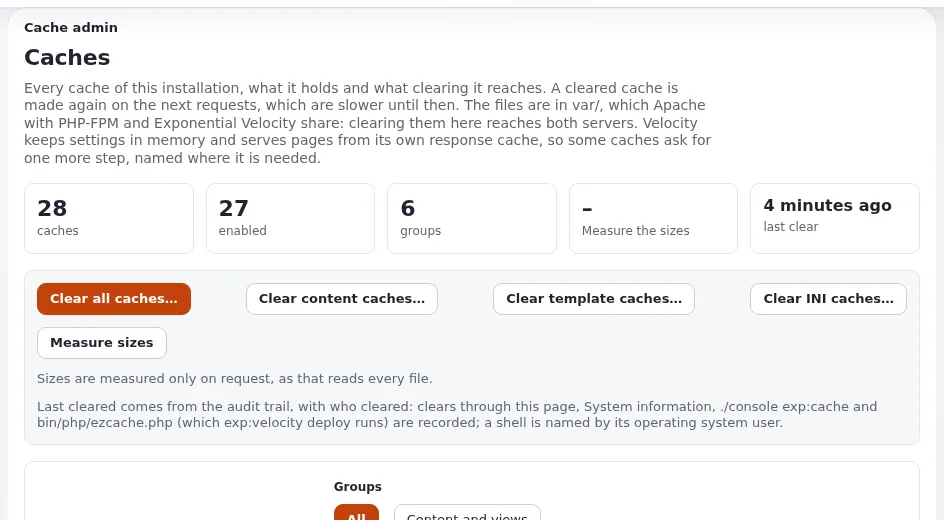
| Clear caches | php bin/php/ezcache.php --clear-all | Setup > Caches (/setup/cache) in the administration |
| Run a cron part once | php runcronjobs.php -s site frequent or php bin/php/console cron:frequent | Setup > Cronjobs, if proc_open is allowed |
| Maintenance mode | php bin/php/maintenance.php on | Setup > Maintenance |
| Read logs | tail var/log/error.log | Setup > Log files |
| Velocity | possible, if long-running processes are allowed | not possible |
Sources: Chapter 4, Maintenance mode, Log viewer, ezupdate.
Shell access as the site's own user (not root) is the safest form to offer: everything the customer runs then writes files the site can still change.
Troubleshooting
| Symptom | Cause | Fix |
|---|---|---|
| Scheduled content never appears | no cron line, or the line uses a PHP without the site's extensions | add the lines; use the site's PHP binary |
| Files written by cron cannot be changed by the site | cron runs as another user | move the lines to the site user's crontab |
| Cronjob part locked by other process | the same script runs already | expected: "the lock ... working" |
| A new part does not appear on the page | INI cache | php bin/php/ezcache.php --clear-tag=ini --allow-root-user |
More in Cronjobs, Troubleshooting and Cron jobs for hosts.
Checklist
- To do:
frequent, the global part andinfrequentscheduled; clean-up parts nightly. - To do: Lines use the site's PHP binary and the installation's real path.
- To do: Lines in the site user's crontab, not root's.
- To do:
PhpCliPathset on servers with several PHP versions. - To do:
proc_open,exec,posix_killdecision documented for the Cronjobs page. - To do: Shell access policy per plan written down.
Cron on a public demo. The demo's cron jobs need the same EXP_DEMO_MODE=1 as its web requests: one line at the top of the crontab (or the panel's cron environment), as in crontab-demo. Demo mode for hosts.
Related pages
- Control panels: overview
- Cron jobs, Cronjob console
- Cronjobs guide
- Free documentation: this page is free to copy, translate and improve under the GNU FDL 1.3.
Become an Exponential Partner
Partners share their information, provide funding, contribute back and develop the products with us, and that is how Exponential grows. A partner website and dashboard are planned for mid-2027: please become a partner today to speed up our growth rate and land new features faster.