Anatomy of an extension
This page is for application creators who want to know what goes where in an extension. An extension is a directory
under extension/ (or an additional extension directory); the kernel finds its parts by directory names and by the
settings the extension carries (Extensions).
Contents
The directory layout
| Directory | Holds | Registered by |
|---|---|---|
modules/<module>/ | module.php, view scripts, function_definition.php | module.ini [ModuleSettings] ExtensionRepositories[], ModuleList[] |
classes/ | PHP classes | ezpgenerateautoloads.php -e writes autoload/ezp_extension.php |
autoloads/ | template operator registration (eztemplateautoload.php) | site.ini [TemplateSettings] ExtensionAutoloadPath[] |
design/<design>/ | templates, override templates, stylesheets, images, scripts | design.ini [ExtensionSettings] DesignExtensions[] |
settings/ | *.ini.append.php for every siteaccess; siteaccess/<name>/ per siteaccess; override/ | being active |
datatypes/<name>/ | datatype classes | content.ini [DataTypeSettings] ExtensionDirectories[], AvailableDataTypes[] |
eventtypes/event/<name>/ | workflow event types | workflow.ini [EventSettings] ExtensionDirectories[], AvailableEventTypes[] |
cronjobs/ | cronjob scripts | cronjob.ini [CronjobSettings] ExtensionDirectories[] and a [CronjobPart-<name>] |
bin/php/ | command line scripts | found by the console as ext:<ext>:<name> |
share/, sql/<engine>/ | database schema and data | installed by your setup script or the package |
translations/<locale>/translation.ts | translations | site.ini [RegionalSettings] TranslationExtensions[] |
doc/ | the extension's own documentation, as Markdown (.md) in English; README.md and INSTALL.md stay on top | the help center shows it while the extension is active (Documenting an extension) |
tests/ | PHPUnit tests | your CI (Testing applications) |
The real catalogue of every extension point, with the INI line that registers it, is Setup > RAD (Extension points).
Metadata files
| File | Content |
|---|---|
extension.xml | <metadata> with name, version, copyright, license, info_url; <dependencies> with <requires><extension name="..."/></requires> |
ezinfo.php | class <extension>Info with a static info() returning Name, Version, Copyright, License, Info_url |
composer.json | the Composer package, type ezpublish-legacy-extension, license, requirements |
The about page (/ezinfo/about) reads extension.xml first, so both files must state the same version
(About and package pages,
Versions and releases).
Activation
| Setting | Effect |
|---|---|
site.ini [ExtensionSettings] ActiveExtensions[] | active everywhere, loaded before the siteaccess is known |
ActiveAccessExtensions[] (in a siteaccess) | active only in that siteaccess |
Use ActiveExtensions[] for anything a command line script or cronjob must see; per-siteaccess activation means every
script needs -s <siteaccess>.
Loading order
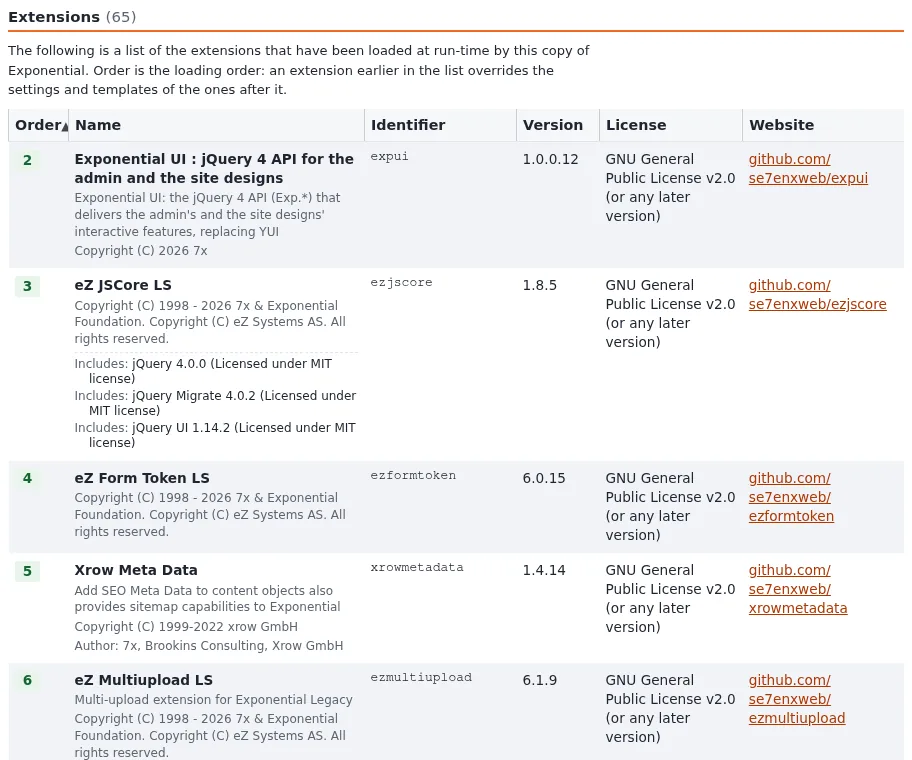
Extensions are read in their activation order (with ExtensionOrdering=enabled, dependencies from extension.xml are
respected). Order decides which extension's template or setting wins. Change it in Setup > Extensions
(Extension loading order).
Checklist for a new extension
- To do: Name in lower case, new names start with
exp(classesexp<Name>...). - To do:
extension.xml,ezinfo.phpandcomposer.jsonagree on name, version and license. - To do: Settings in
settings/*.ini.append.php, never in the kernel'ssettings/. - To do: Autoloads regenerated after every new class.
- To do: No secrets in the repository; keys go in
settings/override/of the installation.
Related pages
- Your first extension
- Packaging your application as an extension
- Layering and naming
- Free documentation: this page is free to copy, translate and improve under the GNU FDL 1.3.
Become an Exponential Partner
Partners share their information, provide funding, contribute back and develop the products with us, and that is how Exponential grows. A partner website and dashboard are planned for mid-2027: please become a partner today to speed up our growth rate and land new features faster.