Build, preview and publish
A target goes public in three steps: Build writes the static copy into the target's folder, Preview and publish shows what changes and lets you look at it, and Publish commits, tags and pushes it. Until you press Publish nothing leaves the server.
What you'll have at the end
The site published to the target's repository, as a commit with the tag static/<target>/<n>.
Build
Open the target's Build page (Setup > Static publishing > Build) and press Build. The build runs in the background as you, so you can close the page; it goes on and the page finds it again.
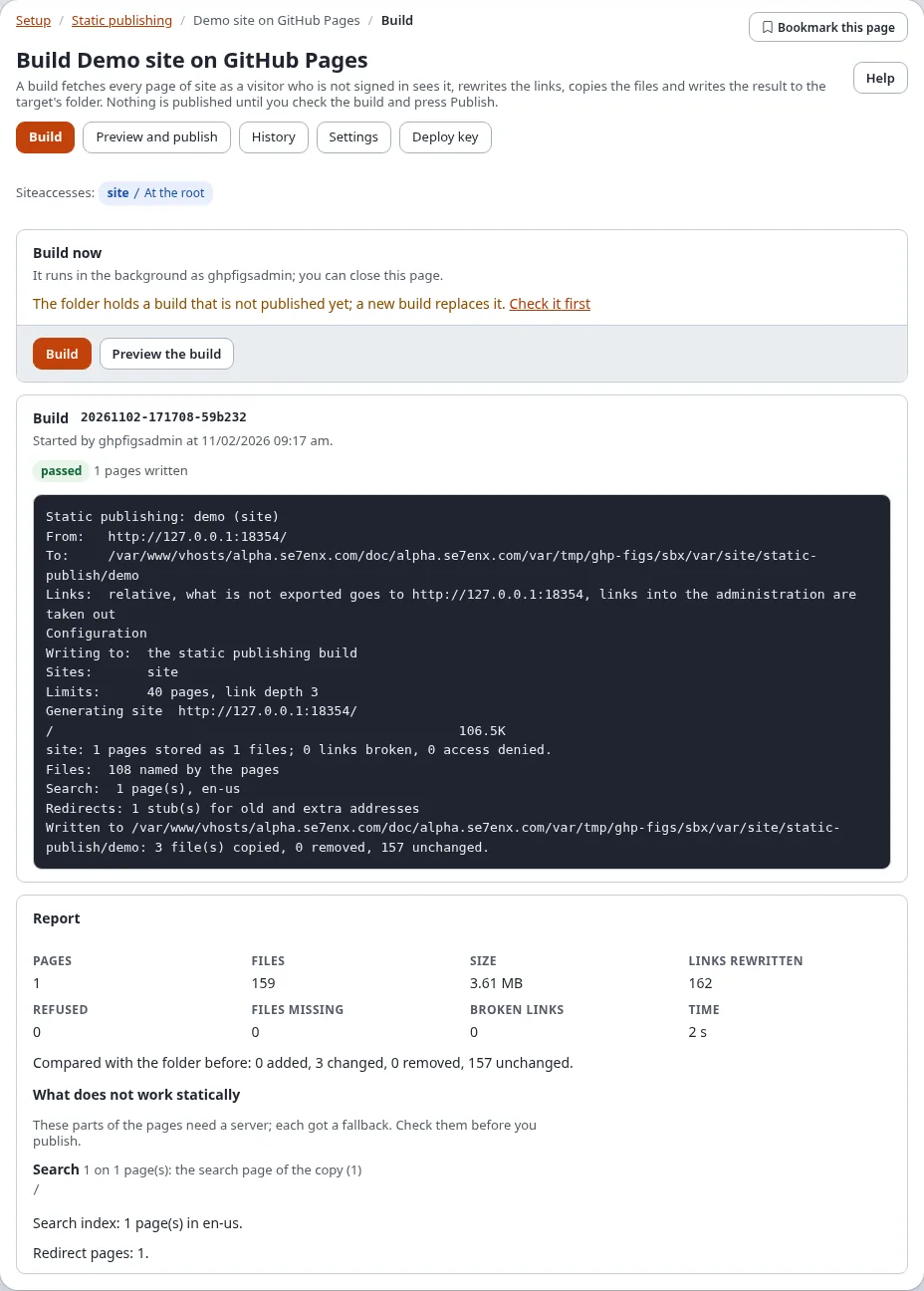
While it runs the page shows the pages written so far and every line of the progress. When it has ended the page reloads and shows the report: pages, files, size, links rewritten, pages refused, files that could not be collected and broken links. A page that still carries debug output, a form token or a session id after stripping is refused, and the build is not used.
Only one build, publish or rollback of a target runs at a time, including one started on the console.
Check the build
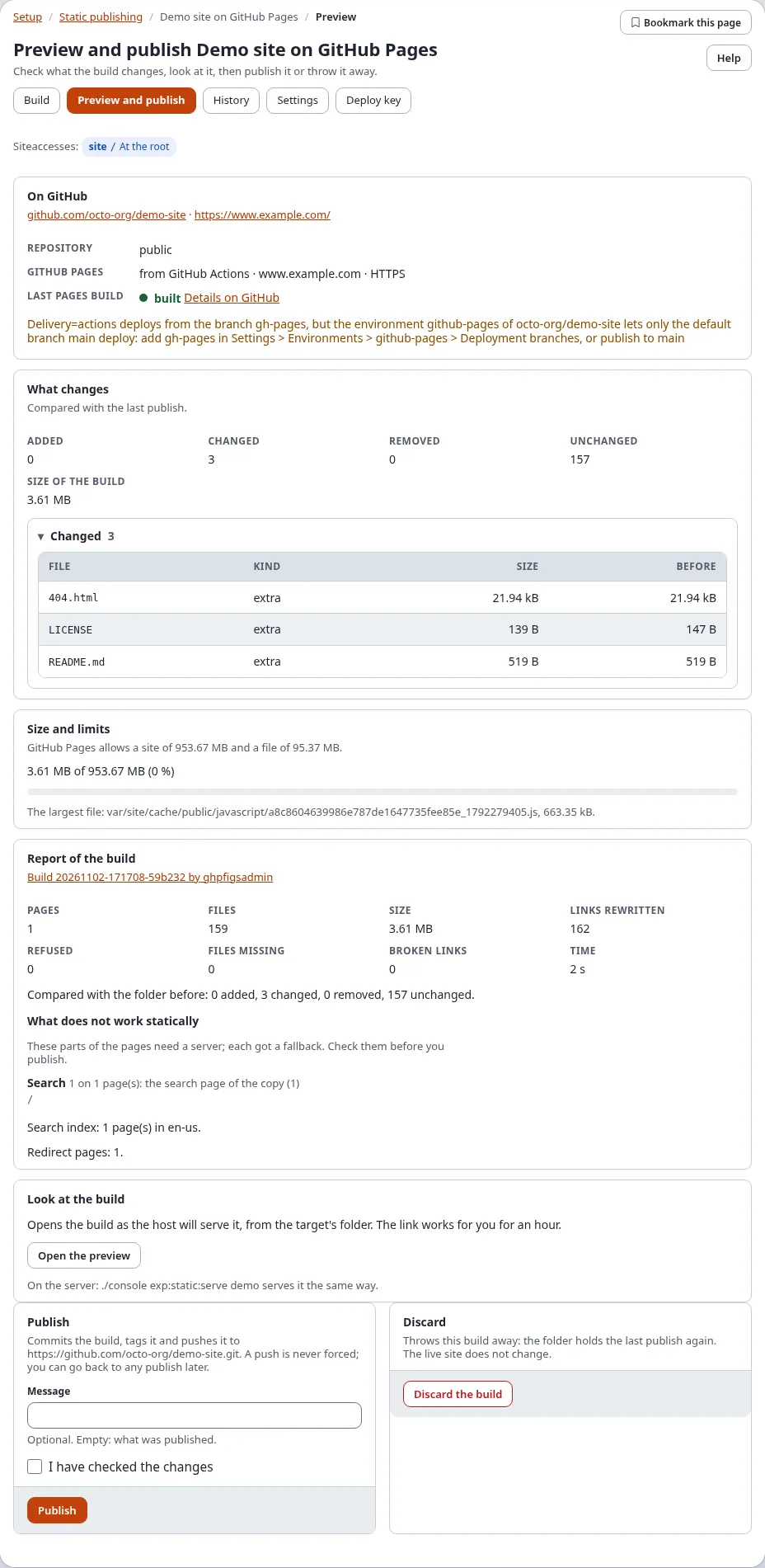
Preview and publish compares the build with the last publish:
- What changes: every page and file added, changed or removed, with its size (and the size before for a changed one). Before the first publish every file is new.
- Size and limits: the build against the limit (GitHub Pages: 1 GB a site, 100 MB a file), with the largest file. Above 90 % the box turns yellow, above the limit red.
- Report of the build: the report of the last build.
- Look at the build: Open the preview serves the build from the target's folder as the host will. The link is
signed for you and works for an hour. On the server,
./console exp:static:serve <target>does the same.
Publish or discard
- Publish (the policy
staticpublish/publish): tick I have checked the changes, add a message if you like and press Publish. Verify it's you asks for your password. The publish runs in the background and its page shows it: one commit with the files of the build, the next tagstatic/<target>/<n>, and the push. A push is never forced; when it fails, the commit and tag stay and the push is tried again later. - Discard the build (the policy
staticpublish/build): the folder goes back to the last publish. The public site does not change.
The page of a job
Every build, publish and rollback started here has a page, /staticpublish/log/<run-id>: the progress, the report
and, for a publish or rollback, its record (state, who, when, files, commit, tag, push). The history links to it.