Use your own domain
A GitHub Pages site lives at https://<owner>.github.io/<repository>/. With your own domain it is served at
https://www.example.com/ instead, with a free HTTPS certificate from GitHub.
What you'll have at the end
Your site at your own domain, over HTTPS.
1. Set the domain on the target
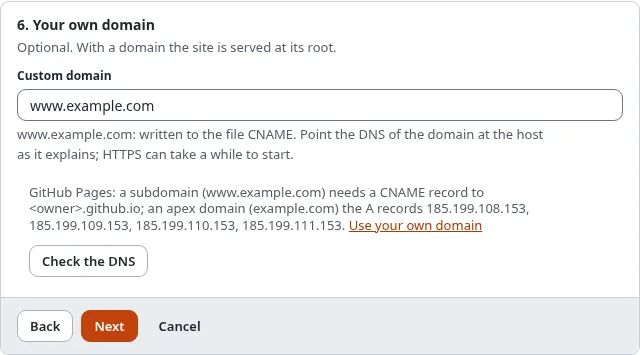
In the wizard, step 6, Custom domain: www.example.com. The build writes it to the file CNAME, which GitHub
Pages reads. The site is then served at the root of the domain, so in step 5 leave the base path empty (relative
links work anyway) and set the public address to https://www.example.com/.
Take www.example.com rather than example.com when you can: a subdomain needs one DNS record and follows GitHub if
its addresses ever change. Set both, and GitHub redirects the one to the other.
2. Point the DNS at GitHub Pages
At the provider of the domain (where you bought it, or where its DNS is managed):
| Domain | Record | Value |
|---|---|---|
a subdomain, www.example.com | CNAME | <owner>.github.io (your account or organization, never the repository) |
the apex, example.com | A (all four) | 185.199.108.153, 185.199.109.153, 185.199.110.153, 185.199.111.153 |
| the apex, optional | AAAA | 2606:50c0:8000::153, 2606:50c0:8001::153, 2606:50c0:8002::153, 2606:50c0:8003::153 |
Remove other A or AAAA records of the same name (an old host), or visitors reach either one at random.
3. Check the DNS
Check the DNS in step 6 of the wizard looks the domain up and says whether it points at GitHub Pages. When it does not, it lists the records to set. On the console:
./console exp:static:dns www.example.com
./console exp:static:dns example.com --owner=octo-org
The owner comes from the target whose custom domain it is, or from --owner. DNS changes can take up to a day to be
seen everywhere (the records' TTL).
4. Tell GitHub, and HTTPS
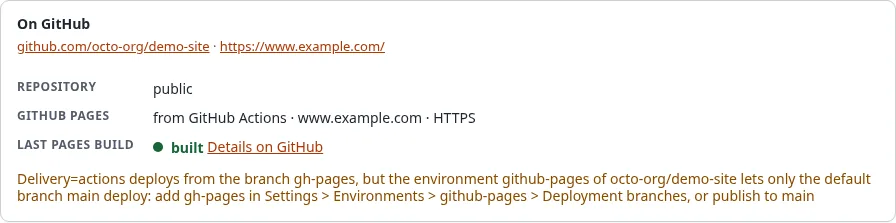
With a token or a GitHub App, Set up on GitHub in step 4 (or ./console exp:static:github setup <target>) sets
the domain on GitHub Pages and switches on Enforce HTTPS. GitHub issues the certificate once it sees the DNS
records, which can take up to 24 hours; until then the setup lists HTTPS as planned. Run it again later.
By hand: repository > Settings > Pages > Custom domain, then Enforce HTTPS when it can be ticked.
Verify the domain for your account or organization on GitHub (Settings > Pages > Verified domains), so nobody else can take it for their site if your repository is ever removed.
When it does not work
| What you see | What to do |
|---|---|
| The DNS check lists records to set | Set them at the provider of the domain and wait for the TTL |
... is a CNAME to <owner>.github.io/repo | A CNAME names the account (<owner>.github.io), never the repository |
| The site answers 404 at the domain | The file CNAME is missing: set the custom domain on the target, build and publish again |
| The browser warns about the certificate | GitHub has not issued it yet; wait, then set up again |
| CSS and images are missing at the domain | The target still has a base path: empty it, build and publish |