Publish automatically
A target can publish itself: after editors publish content, or at fixed times. Both run in the cronjob part
staticpublish, which your installation must run every few minutes.
What you'll have at the end
A static copy that follows the content of the site without anyone pressing Publish.
Run the cronjob part
Add staticpublish to a cronjob part the server runs often, or run it on its own:
*/5 * * * * cd /path/to/exponential && php runcronjobs.php staticpublishThe same part also pushes again any publish whose push failed.
After every content publish
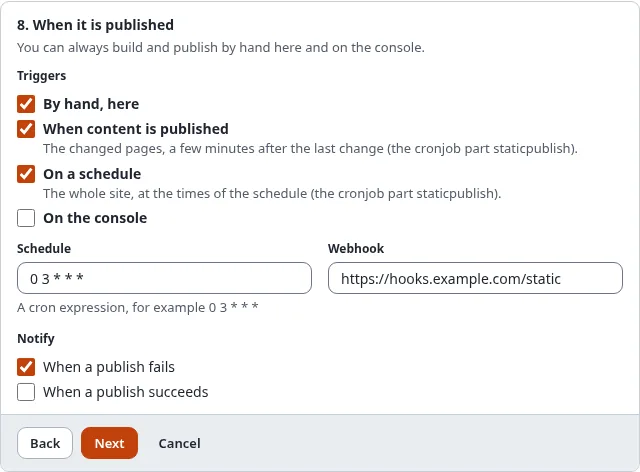
In the wizard, step 8, tick When content is published. From then on:
- Whenever content is published, moved or hidden, the pages of the nodes concerned (the same pages whose view cache is cleared) are marked stale for this target. A new page is remembered too.
- The cronjob part waits until nothing changed for 2 minutes (
[StaticPublishSettings] PublishDebounce), so an editor who publishes ten times in a row causes one publish. - It builds only the stale pages (more than 200 make a full build), and publishes.
The dashboard of Setup > Static publishing shows the number of stale pages of each target. A build that fails leaves them stale; the next run tries again, and the target's notices tell you (Notifications and webhooks).
On a schedule
Tick On a schedule and enter a cron expression in Schedule, in the server's time zone:
| Expression | Means |
|---|---|
0 3 * * * | every day at 03:00 |
30 6 * * 1-5 | weekdays at 06:30 |
0 */6 * * * | every six hours |
@daily, @hourly, @weekly, @monthly | the usual shortcuts |
A scheduled run is a full build and publish. When the cronjob part did not run at the exact minute it catches up within a day, once.