Taking your own screenshots
This page is for reporters, picture editors and creators who want images nobody else has. The safest way is to run Exponential yourself: you control the content, the version and the data on screen.
Contents
- Get an installation
- Prepare the content
- Screens worth capturing
- Settings for good images
- Checks before publishing
- Captions
Get an installation
The documentation describes a complete installation in one command, with SQLite so that no database server is needed (Installing Exponential in one command):
./console exp:install --applyRun it in a copy of the code that you got as Getting the code describes.
Follow the page for the requirements and the options; Setting up a demo installation
walks through it for creators. Write down the version you installed (git describe --tags): your captions will need it.
Do not take screenshots of somebody else's live site or administration without their permission.
Prepare the content
- Use the demo content of the installer, or write your own neutral content.
- Create a test editor account with an obviously fictional name, for example "Demo Editor", and an address at a
domain reserved for examples such as
example.com. - Change the administrator password from the default first (Change the admin password).
Screens worth capturing
| Story | Screen | Help page that shows the way |
|---|---|---|
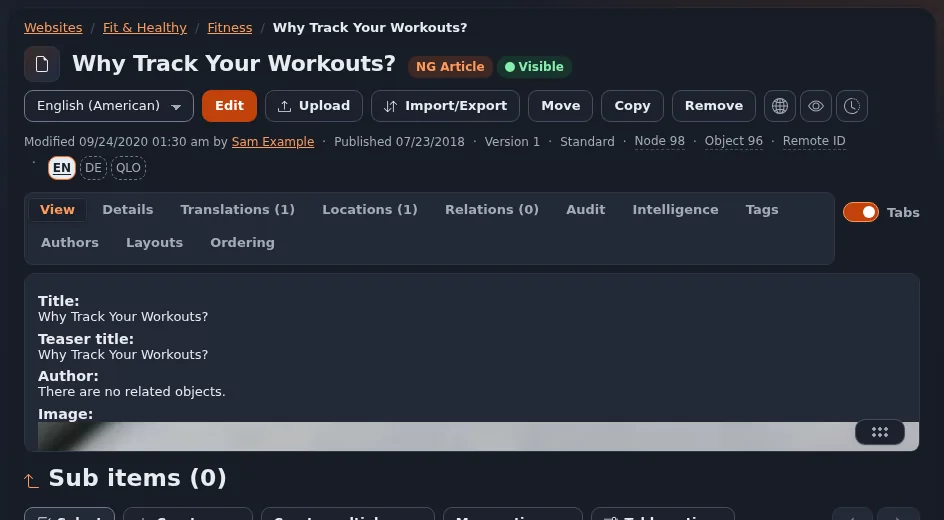
| Editing | The edit form of an article; the version list | Editing content, Publishing and versions |
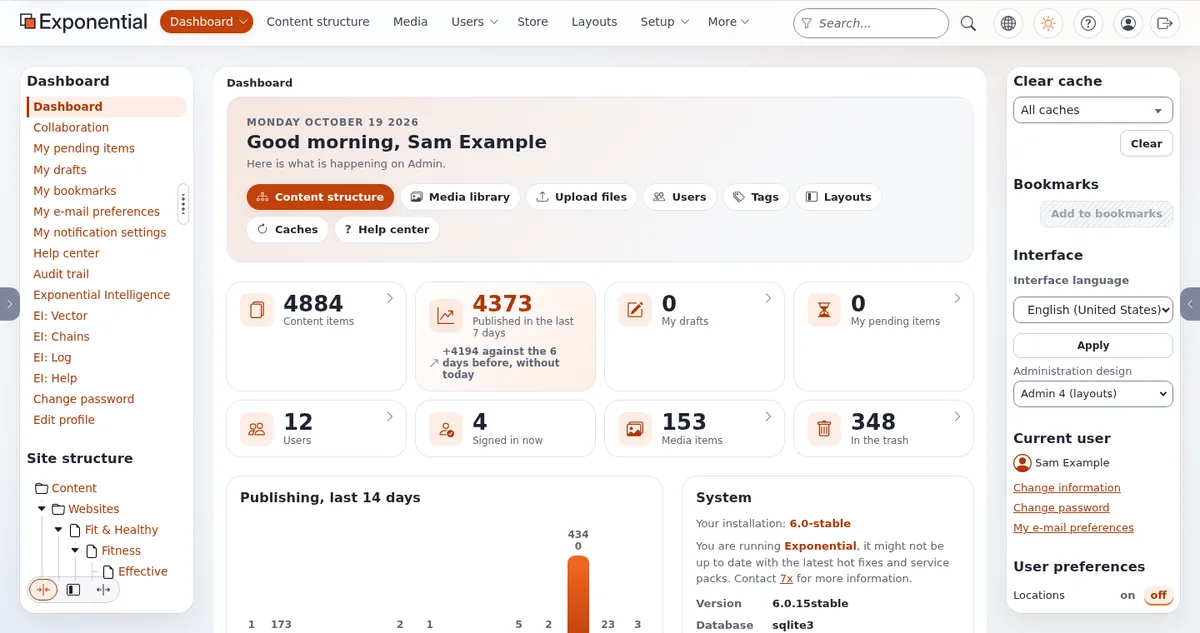
| The administration | The dashboard of admin4, in light and in dark | The admin tour |
| Page building | The layouts editor with a block being added | The layouts editor |
| Media | Multi-file upload | Media and uploads |
| Search | The search page with results | Searching |
| Security | The two-step sign-in setup | Accounts and sign-in |
| Languages | A right-to-left language in the administration | Right to left |
| Help | The help dashboard and a help page | Story: the help system |
| Exponential Intelligence | A draft suggestion in the editor (only after you configured a provider yourself) | Exponential Intelligence |
Settings for good images
- Window size: a common desktop width such as 1440 pixels, and a phone width such as 375 pixels for responsive shots. Browser zoom at 100 percent unless you want to show zoom.
- Theme: admin4 has light and dark themes; show both if the story is about the interface.
- Format: PNG for editing; WebP or JPEG for publication at the size your page needs.
- No browser clutter: hide bookmarks and extensions; crop the address bar unless it shows only a demo address.
Checks before publishing
- To do: No personal data, no passwords, no tokens, no private host names (Keeping secrets off screen).
- To do: The default administrator password is not the one you used.
- To do: The screen shows what the caption says, in the version the caption names.
- To do: Nothing unreleased is presented as released: a screenshot from a checkout of
mainshows work that may not be in any tag yet; checkgit tag -l 'v6.0.*' --sort=version:refname(Covering the 6.0.15 line).
Captions
"The admin4 dashboard of Exponential in dark mode (development version of 6.0.15, demo content,
 screenshot by <outlet>, <date>)."
"Adding a block in the Exponential Layouts editor (Exponential <version>, demo installation)."
Related pages
- Screenshots: what you may use
- Setting up a demo installation
- Privacy on camera
- Free documentation: this page is free to copy, translate and improve under the GNU FDL 1.3.
Become an Exponential Partner
Partners share their information, provide funding, contribute back and develop the products with us, and that is how Exponential grows. A partner website and dashboard are planned for mid-2027: please become a partner today to speed up our growth rate and land new features faster.