Automated updates with ezupdate
This page is for system administrators who keep many Exponential installations up to date, and for product managers
who decide whether customers may update their own sites. It answers: what ezupdate does, which switches it ships
with, how an update goes, which parts can be automated safely, and what must stay a deliberate step.
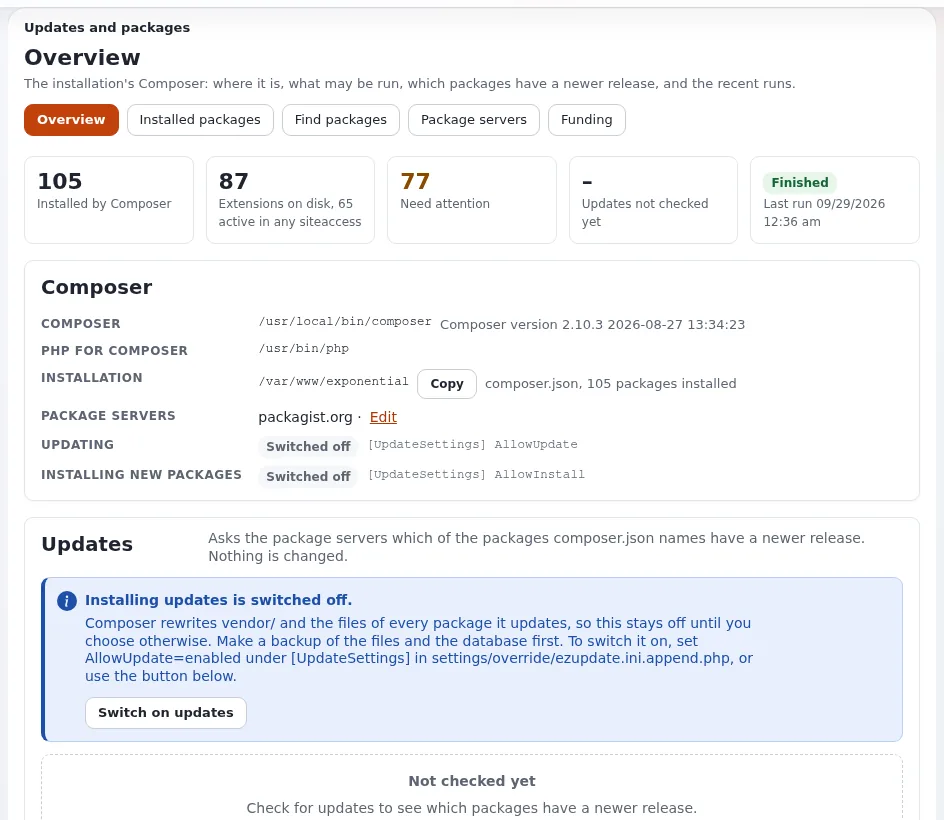
ezupdate is the package manager of an Exponential installation, in the administration (Setup > Updates and
packages, /update/dashboard) and on the command line. The overview is
ezupdate: updates and packages in the admin; the extension's own guides
(user guide, configuration, command line, security) are in its doc/ folder.
Contents
- What it does
- Installing it
- Switches and permissions
- How an update goes
- What to automate, and what not
- Settings a host cares about
- Checklist
What it does
| Feature | What it gives a host |
|---|---|
| Overview | where Composer is and which PHP runs it, whether updating and installing are allowed, Check for updates (composer outdated, changes nothing), an update dry run, a guarded update, recent runs |
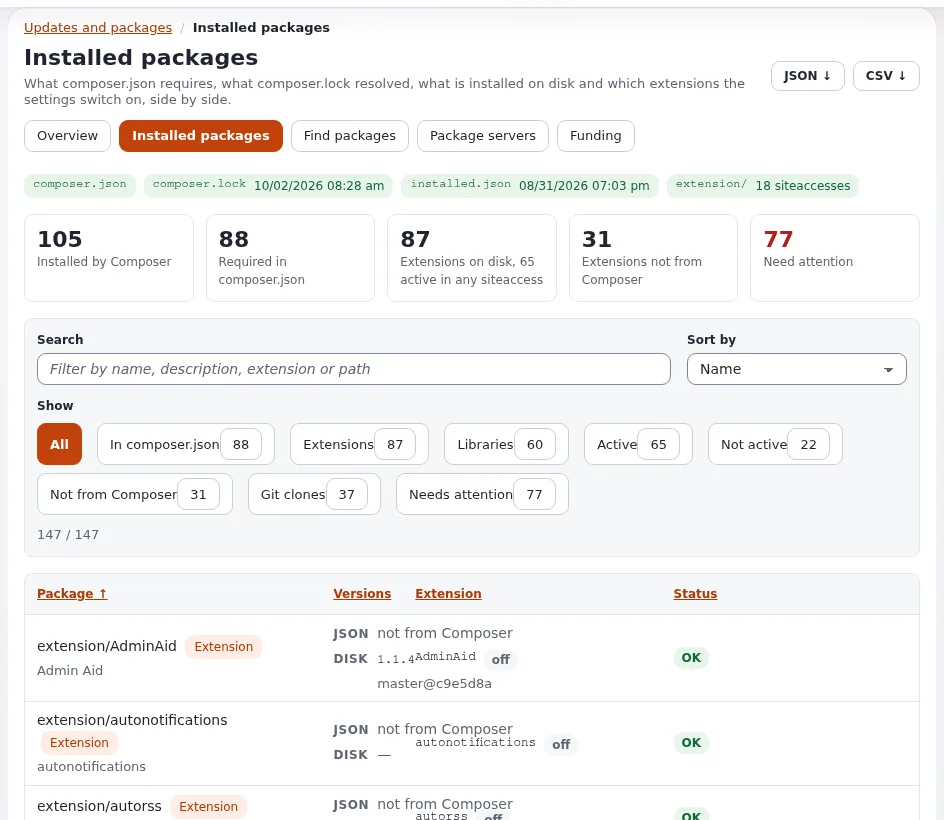
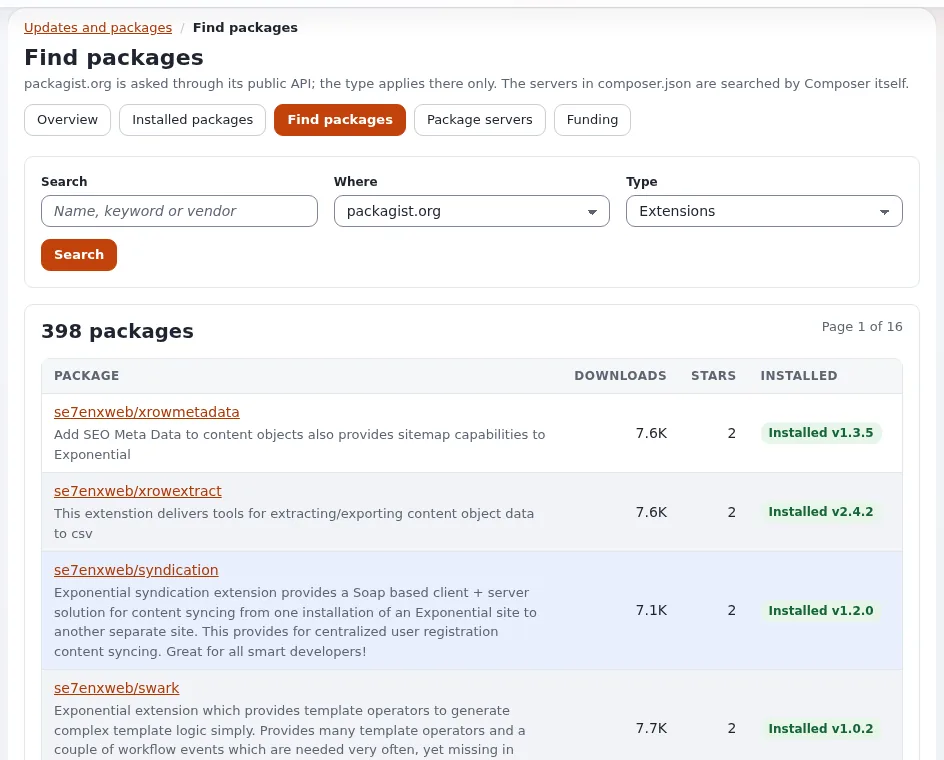
| Installed packages | composer.json, composer.lock, vendor/composer/installed.json and the extension directories side by side, with which extensions are active; names what does not agree; JSON and CSV downloads |
| Find packages | search packagist.org or the servers in composer.json, install with a dry run first |
| Live runs | updates and installs run in the background, one at a time, with a lock; the page follows Composer's output |
| Command line | the same from php extension/ezupdate/bin/php/ezupdate.php |
Note
"Automated" here means the checks, the dry runs and the reporting. ezupdate has no schedule of its own that
updates a site unattended, and the shipped switches keep updating and installing off until an administrator turns
them on.
Installing it
The root composer.json of Exponential requires se7enxweb/ezupdate. On an installation that does not have it yet:
composer require se7enxweb/ezupdate
# settings/override/site.ini.append.php:
#   [ExtensionSettings]
#   ActiveExtensions[]=ezupdate
php bin/php/ezpgenerateautoloads.php --extension
php bin/php/ezcache.php --clear-all
Run Composer as the user that owns the installation's files, so what it writes belongs to the right account.
Switches and permissions
Updating and installing are off until you switch them on, in settings/override/ezupdate.ini.append.php:
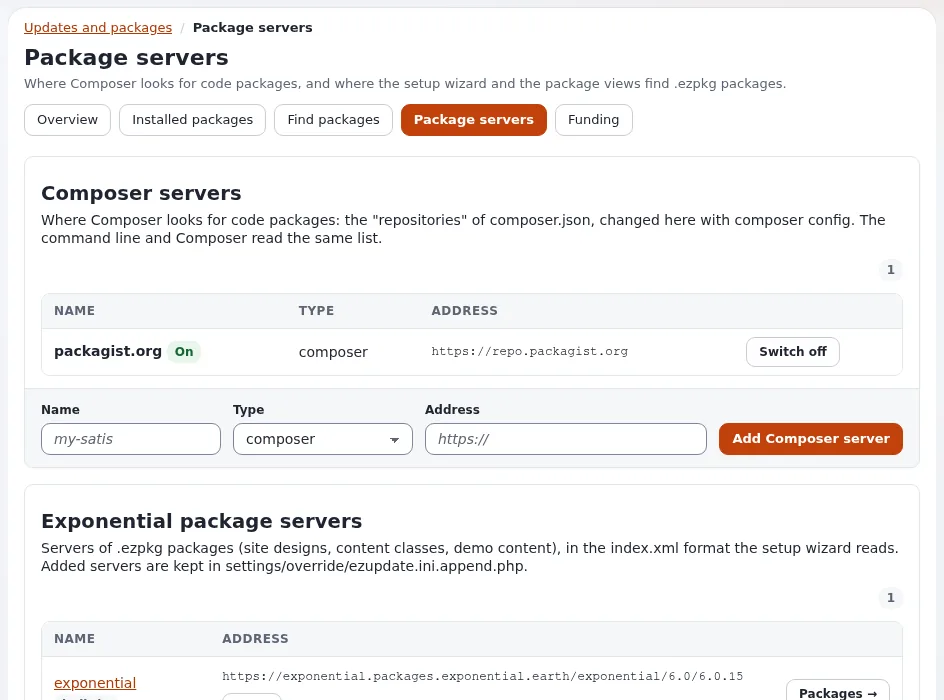
[UpdateSettings]
AllowUpdate=enabled
AllowInstall=enabled
"Composer rewrites vendor/ and every package it manages, so switch these on only where that is wanted, with a
backup." Dry runs always work.
| Policy | Allows |
|---|---|
update/ezupdate | look, check for updates, dry run |
update/manage | update, install, fetch, change package servers |
Administrators have both. A host decides per plan whether the customer's own administrators get update/manage, or
whether updates are a service the host performs.
How an update goes
- Check for updates (
composer outdated): changes nothing. - Preview (dry run): shows what Composer would change; each package is labeled Can be installed or Blocked by composer.json (constraint).
- Confirm that a backup exists, then Install updates for the ticked packages. It runs in the background.
- After a successful run,
[JobSettings] AfterRunCommands[]run: by defaultbin/php/ezpgenerateautoloads.php --extensionandbin/php/ezcache.php --clear-tag=ini,template,content. - The page shows the result: up to date, a summary of what changed, or the exit code of a failed run.
On a site served by PHP-FPM or Velocity, the running processes keep the old classes in memory until they are reloaded. Finish an update with a deploy, which reloads or waits for PHP-FPM, restarts Velocity and clears the caches in the right order (Deploying changes).
What to automate, and what not
| Safe to automate | Keep deliberate |
|---|---|
ezupdate.php status and outdated on every site, collected into one report | update and require on a live site |
ezupdate.php installed --issues to find sites whose lock file and vendor/ disagree | switching AllowUpdate or AllowInstall on |
| dry runs of an update, to see which packages would change | updates without a fresh backup |
fund --direct --json for a list of what the installed packages ask to be funded by | updates without a test on a staging copy for customized sites |
The command-line actions:
php extension/ezupdate/bin/php/ezupdate.php status
php extension/ezupdate/bin/php/ezupdate.php installed --issues
php extension/ezupdate/bin/php/ezupdate.php outdated
php extension/ezupdate/bin/php/ezupdate.php jobs
The full list is status, installed [--issues] [--json], outdated, search, show, servers, server-add,
server-remove, packagist on|off, packages, fetch, require, update, jobs and fund. Runs started on the
command line show up in the administration's Recent runs too. The extension's command-line guide documents its exit
codes for use in scripts.
Tip
A nightly job per installation that runs outdated as the site's user and mails or posts the result to your team
turns "is everything up to date?" into a report, without changing a single file. Apply the updates in a maintenance
window, after a backup, with the dry run you already reviewed.
Settings a host cares about
All in ezupdate.ini, overridden in settings/override/ezupdate.ini.append.php:
| Key | Shipped | Why it matters to a host |
|---|---|---|
[ComposerSettings] SearchPath[] | var/ezupdate/, bin/, ./, vendor/bin/, then /usr/local/bin/, /usr/bin/, /opt/cpanel/composer/bin/ | relative entries come first "because open_basedir (default Plesk) hides the system folders" |
[ComposerSettings] PHPBinary | empty | the PHP that runs Composer and the background jobs; set it on hosts with several PHP versions |
[ComposerSettings] ComposerHome | var/ezupdate/composer | COMPOSER_HOME when the web server passes none, one folder per system account |
[ComposerSettings] Timeout | 900 | seconds a Composer run may take |
[UpdateSettings] PreferredInstall | auto | dist, source or auto |
[JobSettings] KeepJobs | 20 | finished jobs kept |
The Overview's Get Composer can download a SHA-256 verified composer.phar into var/ezupdate/ where no Composer is
installed. Composer is started without a shell, in the installation root, with a time limit and no questions asked.
Checklist
- To do:
ezupdateis active on every installation you update, withPHPBinaryset where several PHP versions exist. - To do:
AllowUpdateandAllowInstallare on only where updates from the administration are part of the plan. - To do:
update/manageis given deliberately. - To do: Update checks run on a schedule and report to the team; nothing updates unattended.
- To do: Every update is preceded by a backup and followed by a deploy and a smoke test.
Related pages
- Upgrading customer sites
- Deploying changes
- Composer and git on servers
- Security updates and disclosure
- ezupdate (feature reference)
- Free documentation: this page is free to copy, translate and improve under the GNU FDL 1.3.
Become an Exponential Partner
Partners share their information, provide funding, contribute back and develop the products with us, and that is how Exponential grows. A partner website and dashboard are planned for mid-2027: please become a partner today to speed up our growth rate and land new features faster.