Upgrading customer sites
This page is for system administrators and support managers at a host who keep many Exponential installations on current releases. It answers: how to find which release each site runs, how to plan upgrades across customers, which steps an upgrade within the 6.0 line takes, how to check the result, and how to recover when a step fails.
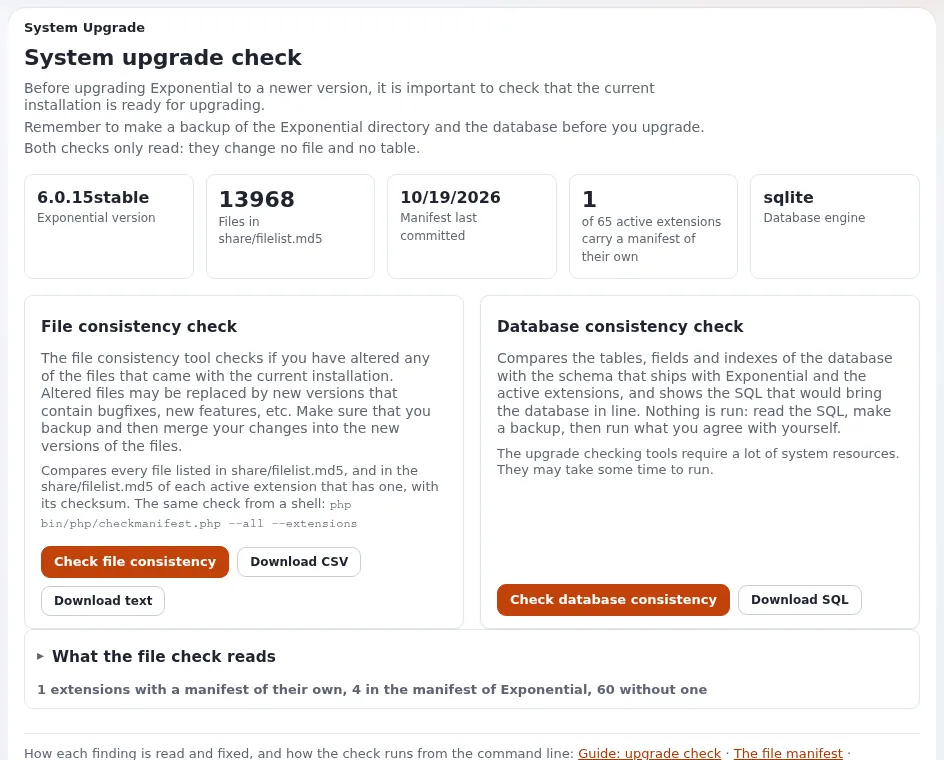
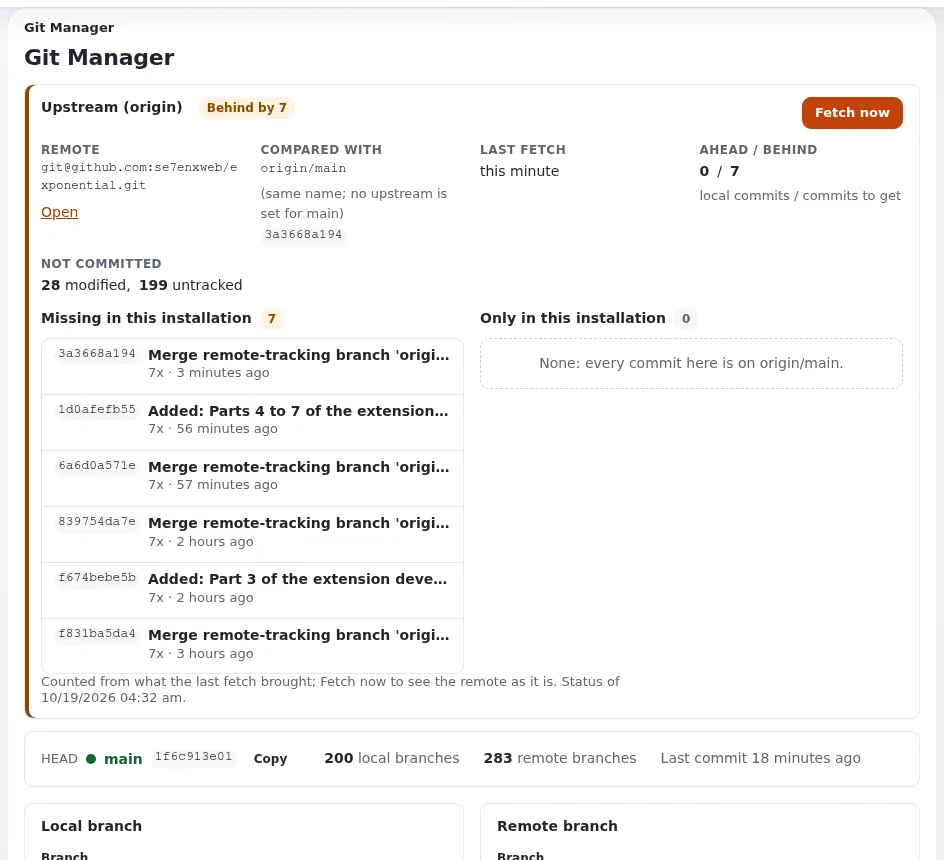
The procedure is the installation book's chapter 11, Upgrading and the guide Upgrading; this page arranges it for a host. Customers coming from older major versions or other products are on Migrating customers.
Contents
- Rules before anything else
- Take inventory
- Plan the upgrade per customer
- The upgrade within the 6.0 line
- Check the result
- When something goes wrong
- Checklist
Rules before anything else
- Never run an installer over an existing site. The setup wizard, the kickstarter and
exp:installcreate a new database. "An upgrade replaces the code and updates the existing database in place."exp:installrefuses to run where an installation exists; "Do not add--forceto get past either on a live site" (11.1). - Back up first, every time. "The database step is the one that cannot be undone by putting files back."
- Run as the site's user. Files created by root in
var/break the site later. - A published release cannot be changed. "The way to get a fix is the next version." Plan to move forward, not to patch a release in place.
Take inventory
For each installation, record the release, the PHP version, the database engine and the web server or engine:
In the administration: Setup > System information names the version, PHP and the server that answered.
On the command line:
./console exp:systeminfo --json.In the database, the version row (its name keeps the historic spelling on purpose):
mysql -u USER -p DATABASE -e "SELECT name, value FROM ezsite_data WHERE name LIKE 'ezpublish-%';"Use the equivalent client for PostgreSQL or SQLite.
Which part of the guide applies follows from the version (Which part do I read?):
| The site runs | Path |
|---|---|
| 3.10 up to 5.3 | the old update chain, then 5.4 to 6.0, then the 6.0 line (Part A) |
| 5.4 or 5.90 | 5.4 to 6.0.0, then the 6.0 line (Part B) |
| an earlier 6.0.x | the 6.0 line (Part C) |
| LoveStack | exp:lovestack check, then Part C, then exp:lovestack migrate (Coming from LoveStack) |
Plan the upgrade per customer
| Step | What to decide |
|---|---|
| PHP | Supported: PHP 8.0 to 8.5 (Velocity included). Usable without support: PHP 7.4 (Exponential 6.0.15 and later) (PHP versions and extensions) |
| Customizations | own extensions and template overrides: test them on a copy first |
| Staging | restore the latest backup on a staging copy, upgrade it there, let the customer check it |
| Window | a maintenance window for the database step, announced to the customer |
| Rollback | the backup taken right before the window, and the time a restore takes |
Tip
Group customers by their current release and by how customized they are. Uncustomized sites on the same release can follow one tested runbook; customized ones get a staging copy each.
The upgrade within the 6.0 line
From 11.6 From any 6.0.x to today and Part C:
Maintenance on and a fresh backup:
php bin/php/maintenance.php on --message="Upgrade in progress" --until=30mPut the new code in place: a checkout of the new tag, or
composer updateofse7enxweb/exponentialin the project'scomposer.json. Keepsettings/override/,settings/siteaccess/, your extensions and designs out of any command that replaces files. Then:php bin/php/ezpgenerateautoloads.php -e php bin/php/ezcache.php --clear-all --allow-root-userApply the database update of the line, once, whole, in order:
update/database/<engine>/6.0/dbupdate-6.0.0-6.0.15.sql. Files exist for MySQL (used for MariaDB too), PostgreSQL and SQLite; Oracle's files come with theezoracleextension, and MongoDB needs no SQL file (11.3 By engine).mysql -u USER -p DATABASE < update/database/mysql/6.0/dbupdate-6.0.0-6.0.15.sqlRun the data scripts of the line once (once per var directory, on every web server of a cluster):
php update/common/scripts/6.0/createaudittables.php
php update/common/scripts/6.0/movetrashrecords.php --remove-file
Unique logins. List accounts that share a login, and add the unique index when there are none:
./console exp:user-login-check --allow-root-user
./console exp:user-login-check --fix-index --allow-root-user
Read the checklist of every period you pass (changelogs and behavior-change notes, listed in C3). The changes people meet most: accounts without an
ezuser_settingrow cannot sign in; overrides followPriority; security headers, cookie flags and a stricter upload check are on by default.Check own extensions:
./console exp:checkclasses --allow-root-userreports classes PHP refuses to load.Deploy: reload the PHP-FPM that serves the site, or run
./console exp:velocity deployon Velocity (Deploying changes). Clear the content cache and Velocity's response cache after the reload.Maintenance off after the checks below.
Check the result
php bin/php/ezcache.php --clear-all --allow-root-user     # ends without an error
./console exp:checkdbfiles --allow-root-user               # no file marked missing for your line
Then in the browser: the front page loads; sign in to the administration; Setup > System information shows the new version; publish a test item and see it on the site. Setup > Upgrade check and Check file consistency list files of the code that differ from the release; files changed on purpose are expected there (The upgrade check).
When something goes wrong
| Symptom | What to do |
|---|---|
| A white page after the code change | var/log/error.log; run step 2 again; vendor/ must match the new composer.json |
Class ... not found | php bin/php/ezpgenerateautoloads.php -e, then clear the caches |
| Libraries missing after a failed Composer run | Repairing an installation |
| A SQL file failed half way | restore the backup and apply the file again from the start; "never repair by hand and re-run" |
| Someone cannot sign in | the ezuser_setting item of the behavior changes of July and August 2026 |
Source: If something goes wrong.
Checklist
- To do: Inventory: release, PHP, database engine and server recorded per site.
- To do: Customized sites tested on a staging copy restored from a backup.
- To do: Backup taken right before the window; restore time known.
- To do: Code, autoloads, caches, database file, data scripts and login check done in order.
- To do: The checklists of every period passed have been read.
- To do: PHP-FPM reloaded or Velocity deployed; content and response caches cleared afterwards.
- To do:
exp:checkdbfiles, the upgrade check and a test publish pass; the customer is told.
Related pages
- PHP upgrade (runbook)
- From older Exponential versions
- Automated updates with ezupdate
- Maintenance mode, Deploying changes
- Chapter 11: Upgrading
- Migrations on hosted sites, Migrations
- Free documentation: this page is free to copy, translate and improve under the GNU FDL 1.3.
Become an Exponential Partner
Partners share their information, provide funding, contribute back and develop the products with us, and that is how Exponential grows. A partner website and dashboard are planned for mid-2027: please become a partner today to speed up our growth rate and land new features faster.