How do I publish an RSS feed of my content?
An RSS export publishes the newest items of a folder as a feed that readers and other sites can subscribe to.
Who can do this
Users whose role has rss/edit.
Steps
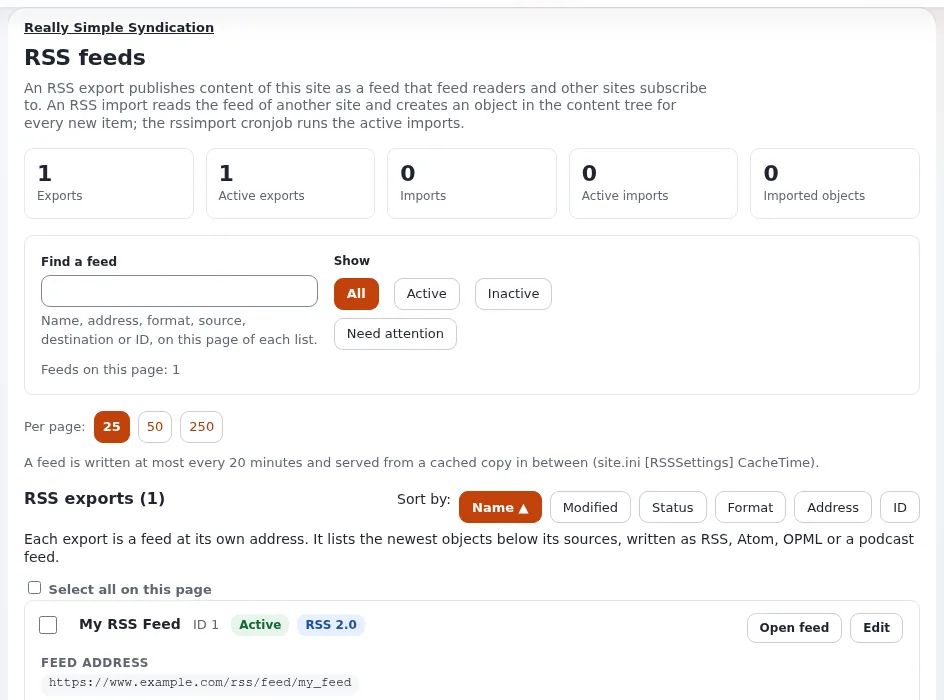
- Open Setup > RSS. The page RSS feeds lists RSS exports and RSS imports.
- Under RSS exports, click New export.
- Enter the Name (the title of the feed), a Description and the Site URL.
- Under Source, click Browse and choose the folder whose items the feed lists. Choose the Class of the items and click Set, then choose which field is the title and which the description.
- Choose the Feed format, the Number of objects, and the Access URL (the last part of the feed's address).
- Tick Active and click OK.
- Click Open feed in the list to check it.
What can go wrong
- The feed is empty. The class or the folder is wrong, or the items are not readable for visitors.
- Readers see the wrong text. Choose other fields for title and description, then OK.
Related pages
- RSS feeds
- RSS feeds for your site
- RSS: Apple Podcasts feeds, a paged feed list and safer exports
- How do I import an RSS feed?
- User manual
Become an Exponential Partner
Partners share their information, provide funding, contribute back and develop the products with us, and that is how Exponential grows. A partner website and dashboard are planned for mid-2027: please become a partner today to speed up our growth rate and land new features faster.