Backups and restores
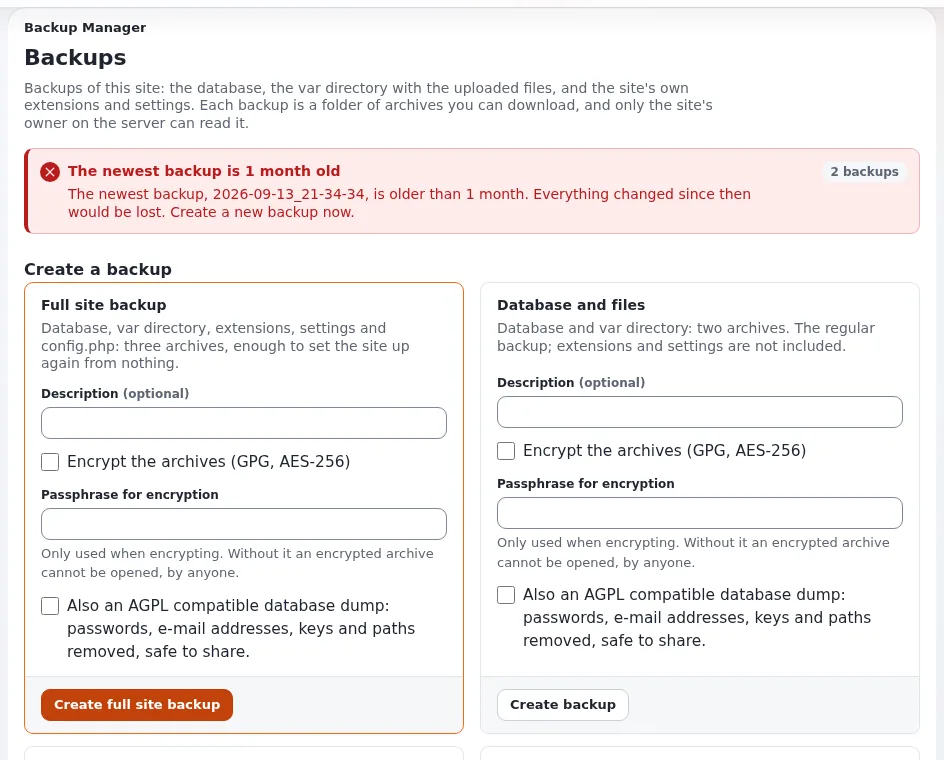
This page is for website creators responsible for a site's data. A backup is the database and the files, taken at the same moment; a backup that was never restored is a hope, not a backup (10.9 Backups and restore).
Contents
What to back up
| Path | Why |
|---|---|
| the database | all content, users, settings stored in the database |
var/storage, var/<site>/storage | uploaded images and files |
settings/override, settings/siteaccess | the installation's settings (they contain passwords: keep backups private) |
| your own extensions and designs | if they are not in a Git repository |
Caches are regenerated and need no backup.
Taking a backup
- Maintenance mode on, so database and files agree:
php bin/php/maintenance.php on --message="Back soon" --until=30m --allow-admin --allow-root-userThe database:
Engine Backup SQLite sqlite3 var/storage/sqlite3/exponential.db ".backup '/backup/db.sqlite'"MySQL, MariaDB mysqldump --single-transaction -u USER -p DATABASE > /backup/db.sqlPostgreSQL pg_dump -U USER -Fc DATABASE > /backup/db.dumpMongoDB mongodump --uri="mongodb://USER@HOST/DATABASE" --out=/backup/mongoThe files:
tar czf /backup/files-$(date +%F).tar.gz var/storage settings/override settings/siteaccessMaintenance off:
php bin/php/maintenance.php off --allow-root-user.
On SQLite (online backup) and MySQL with InnoDB the database backup alone is consistent without maintenance mode.
Restoring
Maintenance on; under Velocity stop the server.
Restore the database with the engine's tool and unpack the files; fix owner and mode.
Clear every cache and regenerate autoloads:
php bin/php/ezcache.php --clear-all --allow-root-user
php bin/php/ezpgenerateautoloads.php -e
Start Velocity, clear its response cache, maintenance off, open the front page and the administration.
The restore test
At least once, and after every major upgrade, restore a backup on another machine and check: the front page, a deep page, an image, a download, a login, a form. Write down how long it took; that is your recovery time.
Retention
Store backups away from the server, keep several generations (for example daily for a week, weekly for a month), and remember they contain personal data and passwords.
Related pages
- Maintenance mode during changes
- Operating a site: back up and restore
- Databases
- Free documentation: this page is free to copy, translate and improve under the GNU FDL 1.3.
Become an Exponential Partner
Partners share their information, provide funding, contribute back and develop the products with us, and that is how Exponential grows. A partner website and dashboard are planned for mid-2027: please become a partner today to speed up our growth rate and land new features faster.