Organizing the media library
This page is for website creators who set up where images and files live. The media library is a part of the content
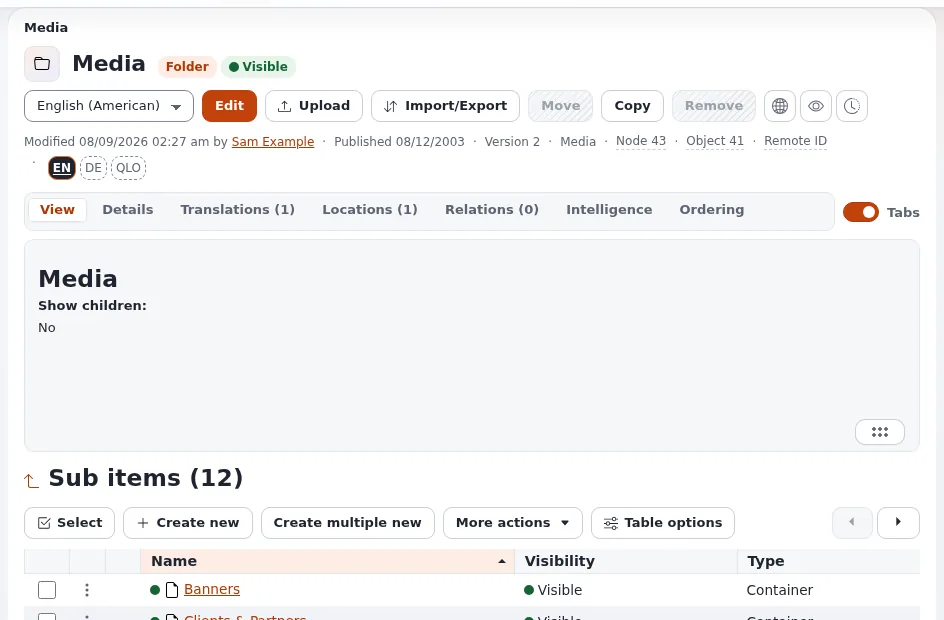
tree (MediaRootNode=43 in settings/content.ini, section Media) for content that is used by other content: images,
files, videos. A clear structure there saves editors hours.
Contents
- Media are content objects
- A folder structure that scales
- Where uploads land
- Uploading many files at once
- Permissions
- Keeping it clean
Media are content objects
An uploaded image is an object of the image class, a file an object of the file class. That means media have
versions, translations of their names and alternative texts, sections, and relations: an article that embeds an image
relates to it, and the administration warns before you remove an image something still uses
(Reverse relation check).
A folder structure that scales
| Structure | Good for |
|---|---|
By topic or site area (Products, Team, Events) | sites where editors think in topics |
By year and month (2026/10) | news sites with many images |
By site (Site A, Site B) | multisite installations, with roles limited per folder |
A Shared folder | logos, icons and images used everywhere |
Keep it at most three levels deep; the upload dialog browses at most MaxDepth=3 levels (settings/upload.ini).
Where uploads land
settings/upload.ini decides what an upload becomes and where:
| Setting | Shipped | Meaning |
|---|---|---|
[CreateSettings] MimeClassMap[image] | image | images become Image objects |
MimeClassMap[video/mp4] | video | MP4 files become Video objects |
DefaultClass | file | everything else becomes a File object |
[image_ClassSettings] NamePattern | <original_filename_base> | the object's name is the file name without its extension |
[LocationSettings] RootNode | media | the upload dialog starts in the media library |
[LocationSettings] ClassList[] | folder | the classes shown as places to upload into |
Override them per siteaccess in upload.ini.append.php, for example to map a class of your own.
Uploading many files at once
The ezmultiupload extension uploads many files in one go into a folder
(ezmultiupload); editors find the steps in
Media and uploads.
Permissions
- Visitors need
content/readfor Section Media only if media are shown on their own pages; embedded images are served as files and do not need it. - Editors need
content/createin the media folders for theimageandfileclasses. - On a multisite, limit each team's create rights to its own media folder by subtree.
Keeping it clean
- To do: Name images by what they show, not by camera file names; the name becomes the alternative-text suggestion and the address.
- To do: Require alternative texts on image fields (The content model and editing).
- To do: Remove unused media regularly; the reverse relations tab shows whether anything still uses an item.
- To do: Check files that went missing on disk: Missing files.
- To do: Include
var/<site>/storagein backups (Backups and restores).
Related pages
- Images and image variations
- Files and downloads
- Media and uploads (for editors)
- Free documentation: this page is free to copy, translate and improve under the GNU FDL 1.3.
Become an Exponential Partner
Partners share their information, provide funding, contribute back and develop the products with us, and that is how Exponential grows. A partner website and dashboard are planned for mid-2027: please become a partner today to speed up our growth rate and land new features faster.