URL aliases and nice URLs
This page is for website creators who care how addresses look. Every node gets a URL alias made from the names
of its path: the article "Opening hours" in the folder "About us" is at /About-us/Opening-hours. The internal address
/content/view/full/<node> keeps working but should never appear in links.
Contents
- How aliases are made
- The settings
- Custom aliases for one node
- Linking in templates
- Rebuilding aliases
- Checklist
How aliases are made
- From the object's name, or from the class's URL alias name pattern when it has one (Content classes for websites).
- Characters are transformed by the transformation group; words are joined by the word separator.
- Each translation has its own alias in its language.
- When a node is renamed or moved, the new alias is made and the old one stays as a redirect to it (Redirects and moved content).
The settings
site.ini [URLTranslator]:
| Key | Shipped | Meaning |
|---|---|---|
Translation | enabled | addresses are resolved by aliases |
WordSeparator | dash | dash, underscore or space |
TransformationGroup | urlalias | urlalias (ASCII), urlalias_iri (keeps accents and other letters), urlalias_compat (old style) |
ScriptFallbackTransformationGroup | urlalias_iri | for a title the transformation leaves without a letter (Arabic, Chinese, Thai and other scripts without a transliteration table under urlalias); empty turns it off (10. Titles in scripts without a transliteration table) |
UrlAliasNameLimit | 255 | the limit per path element; 0 disables it |
LoadOnPartialAliasPath | / | what an incomplete alias path loads |
DecodeOnce, TrailingCleanup | disabled | two optional address cleanups (8. Decoding and cleaning addresses) |
Decide TransformationGroup before launch: for a site in German or French, urlalias_iri keeps Über-uns readable;
urlalias makes it Uber-uns. Changing it later only affects objects when they are published again or the aliases are
rebuilt.
Custom aliases for one node
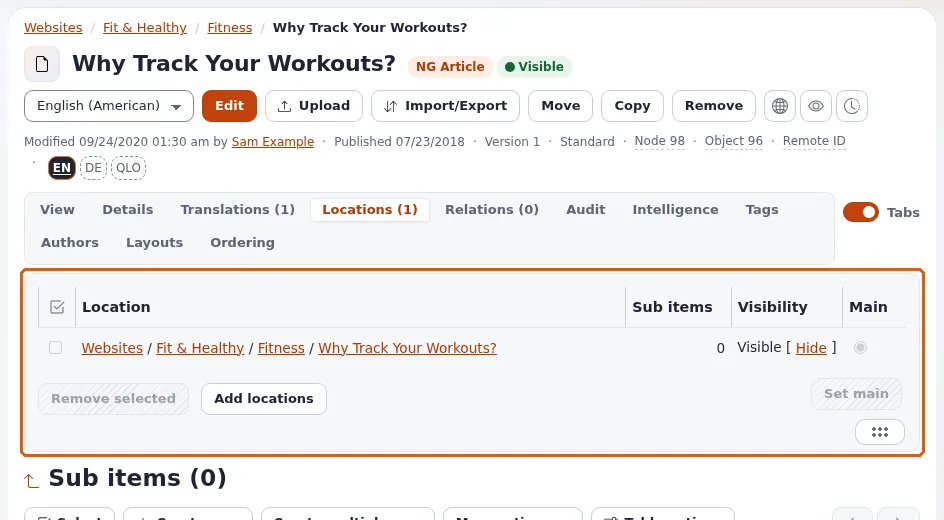
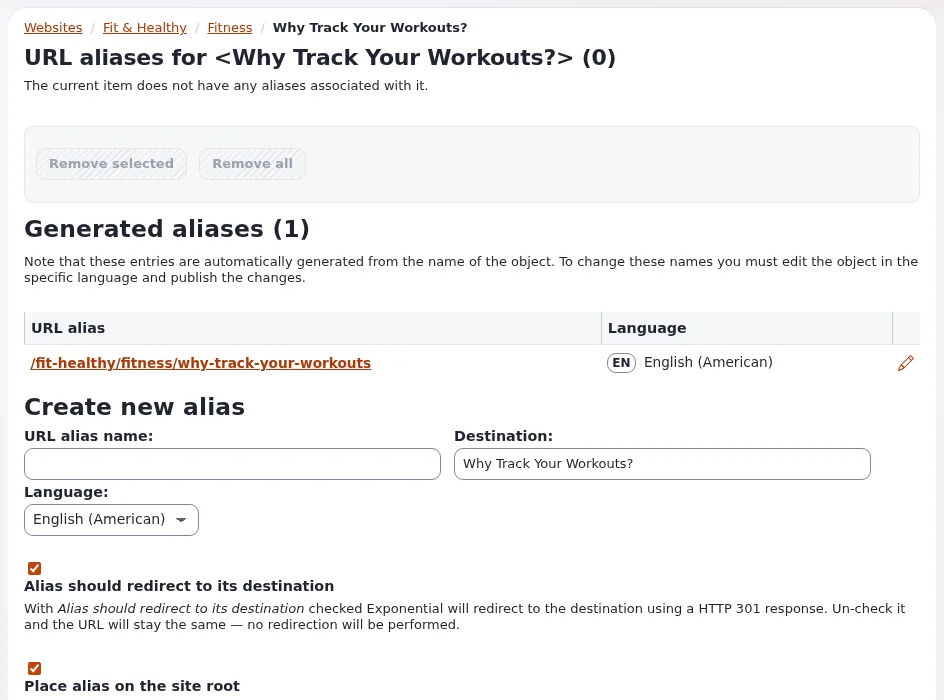
The node's URL aliases tab adds more aliases to the node (a short campaign address, an old address from a previous site). Global aliases for module views and wildcards for patterns are in Setup > URL translator and Setup > URL wildcards (URL wildcards and custom aliases).
Linking in templates
<a href={$node.url_alias|ezurl}>{$node.name|wash}</a>ezurl adds the siteaccess path when the siteaccess is in the address and escapes the result; it is written without
quotes in an attribute. |ezurl( , 'full' ) gives the full address with host, for mail and feeds. In PHP,
eZURI::build() gives the same (For developers).
Rebuilding aliases
After an import, a change of TransformationGroup or a repair, rebuild every alias:
php bin/php/updateniceurls.php --allow-root-userOn large sites this takes a while; run it outside busy hours, with a backup. Then clear the urlalias cache.
Checklist
- To do: The transformation group chosen for the site's languages.
- To do: Folder and article names make good addresses (short, no dates unless wanted).
- To do: Templates link with
url_alias|ezurl, nevercontent/view/full/.... - To do: Campaign addresses made as aliases, not as new pages.
Related pages
- Redirects and moved content
- Links, URL aliases, wildcards and search statistics
- SEO basics for Exponential sites
- Free documentation: this page is free to copy, translate and improve under the GNU FDL 1.3.
Become an Exponential Partner
Partners share their information, provide funding, contribute back and develop the products with us, and that is how Exponential grows. A partner website and dashboard are planned for mid-2027: please become a partner today to speed up our growth rate and land new features faster.