Updates and upgrades for site owners
This page is for website creators who keep a site current. Updates bring security fixes and features; doing them regularly keeps each one small. The full procedure is in Upgrading and Upgrading (guide).
Contents
What gets updated
| Part | How |
|---|---|
| The kernel (Exponential 6.0.x) | Git or Composer, then the database update files |
| Extensions | Composer packages, each with its own version (Extensions) |
| Velocity | the engine package, then exp:velocity restart |
| PHP | the operating system |
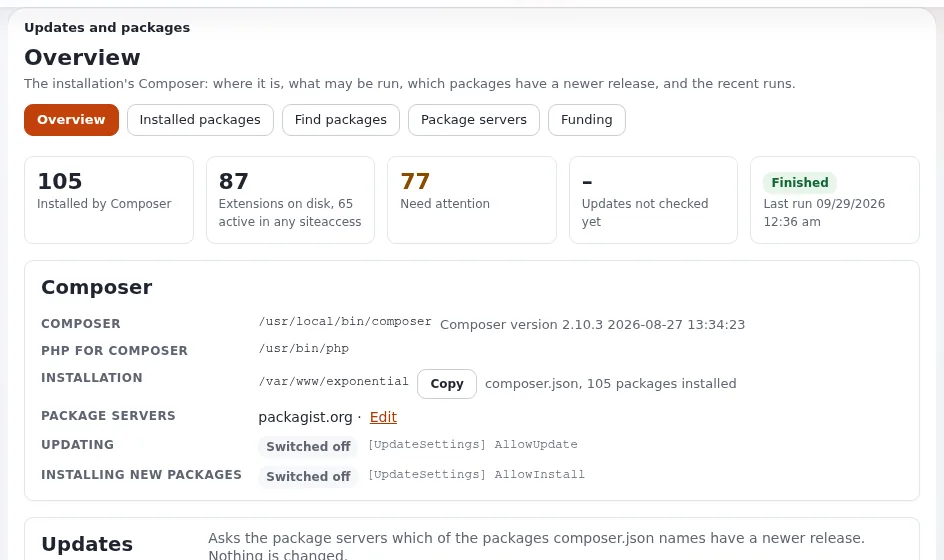
Published versions are permanent: a fix comes as the next version, never as a changed old one.
Before you update
- To do: Read the changelog of every version you pass (
doc/changelogs/6.0/) and the behavior change notes (doc/eng-us/bc/6.0/). - To do: Note your own extensions and template overrides that touch changed areas.
- To do: Take a backup (Backups and restores).
- To do: Try the update on a copy (staging) first.
The update, step by step
From 11.6 From any 6.0.x to today:
- Put the new code in place (Git pull or Composer update of the root package, in a staging copy first).
- Apply the database update for your engine.
- Read the checklist of each period you pass.
- Check your own extensions.
- Regenerate autoloads, clear caches, reload PHP and restart Velocity (
exp:velocity deploy --kerneldoes it in order). - Verify (11.7).
Use maintenance mode for the database step (Maintenance mode during changes).
After the update
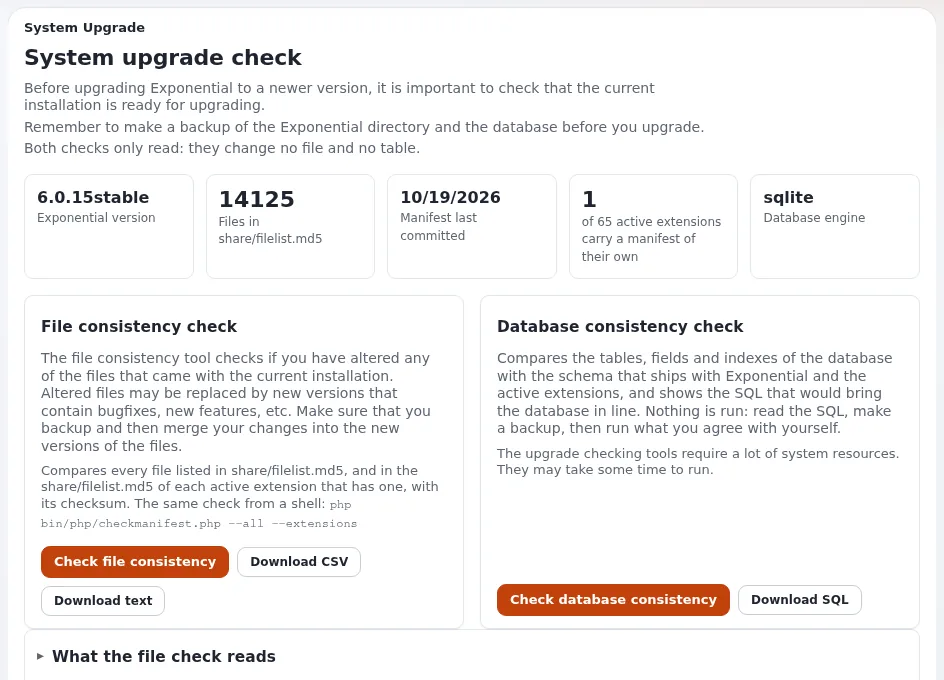
- Setup > Upgrade check: file consistency and database checks (Upgrade check).
- Click through every page type and form; run your accessibility and benchmark checks.
- Watch the error log for a day.
PHP versions
Exponential 6.0.15 is supported on PHP 8.0 to 8.5, Velocity from its release 0.0.4.54, and usable without support on PHP 7.4 (without Velocity). Use the newest PHP your system offers; older versions lose security support first (2.2 PHP). Test a PHP upgrade on staging like any other update.
Related pages
- Release and upgrade planning
- Maintaining your website
- Versions and releases of your extension
- Free documentation: this page is free to copy, translate and improve under the GNU FDL 1.3.
Become an Exponential Partner
Partners share their information, provide funding, contribute back and develop the products with us, and that is how Exponential grows. A partner website and dashboard are planned for mid-2027: please become a partner today to speed up our growth rate and land new features faster.