Content classes for websites
This page is for website creators who create or adapt the content classes of a site in the administration. It covers the class editor, the settings of a class and of each attribute, and which changes are safe once the site holds content.
Contents
- Where classes live
- Create a class
- Class settings
- Attribute settings
- Changing a class on a live site
- Moving classes between installations
Where classes live
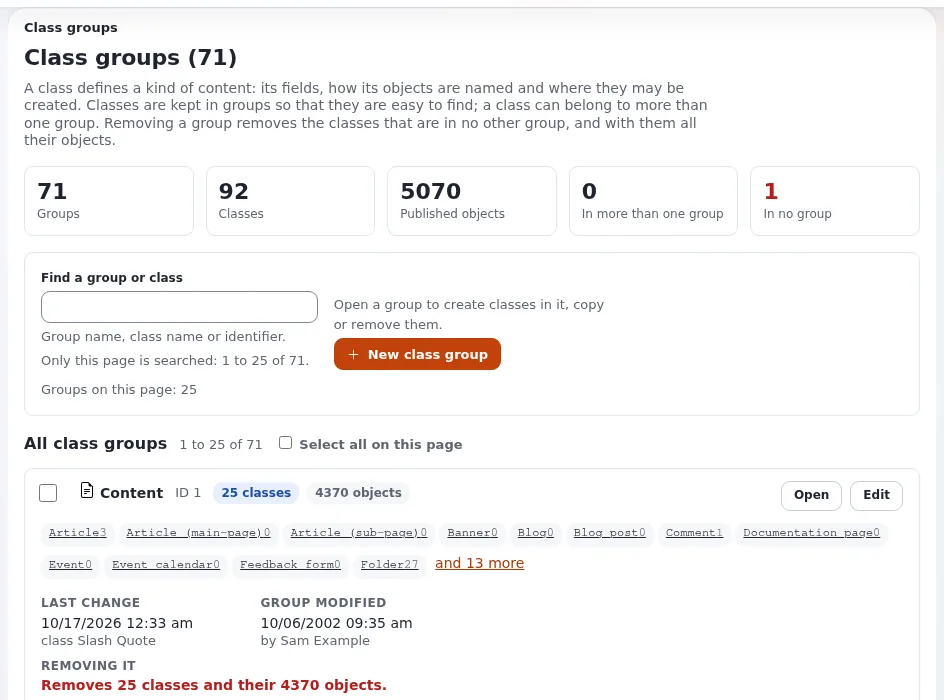
Setup > Classes (/class/grouplist) lists the class groups (Content, Users, Media, Setup); each group lists its
classes (Class groups). The classes of a new installation come from the site
package (Site packages and the themes that ship).
Create a class
From 2. Create a class:
- Open Setup > Classes, the group Content, then New class.
- Give a name (
Event) and an identifier (event). - Set the object name pattern, for example
<title>. - Add attributes: choose a datatype under Add attribute, press Add, give a name and an identifier.
- Press OK. The class can now be created wherever policies allow.
Class settings
| Setting | What it does |
|---|---|
| Name, identifier | what editors read; what templates and overrides use |
| Object name pattern | builds each object's name from attributes: <title>, <first_name> <last_name>, <short_title|title> (the first that is not empty) |
| URL alias name pattern | builds the URL alias; empty means the object name |
| Container | the class may have children |
| Default sorting of children | the sort order new objects of this class give their children |
| Default object availability | whether an object is shown in languages it was not translated into ("always available") |
Attribute settings
| Setting | Use |
|---|---|
| Required | the object cannot be published while it is empty |
| Searchable | the attribute's text goes into the search index |
| Translatable | each language has its own value; turn off for prices, dates, codes |
| Information collector | the attribute is filled in by visitors, not editors (Forms with the information collector) |
| Category | groups attributes into tabs of the edit form |
| Datatype options | depend on the datatype: maximum length, default value, allowed classes for relations, image size limit ... |
Two datatype options were added in Exponential 6 and are worth knowing for websites (9. Required alternative text ...): image fields can require an alternative text, and text lines can trim the stored value.
Changing a class on a live site
| Change | Safe? | Note |
|---|---|---|
| Add an attribute | yes | existing objects get an empty value; check templates handle empty |
| Rename an attribute's name | yes | the identifier stays |
| Change an identifier | risky | every template and fetch using it must change at once |
| Make an attribute required | yes, but | existing objects stay as they are until edited |
| Remove an attribute | destructive | the data of that attribute is deleted from every object |
| Change a datatype | not possible in place | add a new attribute, migrate the data, remove the old one |
| Move an attribute up or down | yes | only the edit form order |
Warning
Large classes with many objects take a while to change, because every object gets the new attribute. Make class changes outside busy hours, and with a backup (Backups and restores).
Moving classes between installations
Do not rebuild classes by hand on the production site. Export them from the development installation as a package and import it (Content packages (.ezpkg), Packages). Identifiers and remote IDs keep templates and overrides working on both sides.
Related pages
- Designing your content model
- Choosing datatypes for your fields
- The content model and editing
- Free documentation: this page is free to copy, translate and improve under the GNU FDL 1.3.
Become an Exponential Partner
Partners share their information, provide funding, contribute back and develop the products with us, and that is how Exponential grows. A partner website and dashboard are planned for mid-2027: please become a partner today to speed up our growth rate and land new features faster.