Sections and object states for site builders
This page is for website creators who need parts of a site to behave differently: a members area, pages that wait before they go public, departments that edit only their own pages, a review step. Exponential has two tools for this, sections and object states. Both are labels on content; roles and policies give them meaning.
Contents
- Sections and states compared
- The sections of a new installation
- Recipe: a members area
- Recipe: staging before publishing
- Recipe: a review stage with object states
- Templates per section or state
Sections and states compared
| Section | Object state | |
|---|---|---|
| Each object has | exactly one section | one state from each state group |
| Managed in | Setup > Sections (Sections) | Setup > States (Object states) |
| Typical use | areas of the site: members, intranet, staging | stages: draft, in review, approved |
| Set by | assigning a subtree, or when the object is created | the node's Details tab, a subtree, or a workflow |
| Policies limit by | Section | StateGroup_<group identifier> |
| Override match | Match[section_identifier] | Match[state_identifier] |
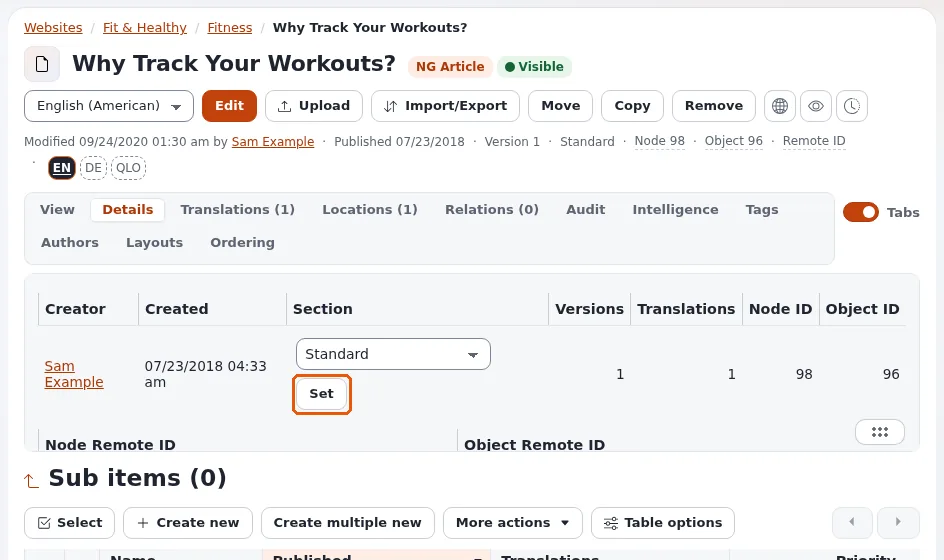
Neither is a place in the tree or a siteaccess: an area of the tree is assigned to a section, and objects keep the section when moved, unless reassigned.
The sections of a new installation
| ID | Name | Identifier | Holds |
|---|---|---|---|
| 1 | Standard | standard | the content tree |
| 2 | Users | users | user accounts |
| 3 | Media | media | the media library |
| 4 | Setup | setup | setup objects |
| 5 | Design | design | design objects |
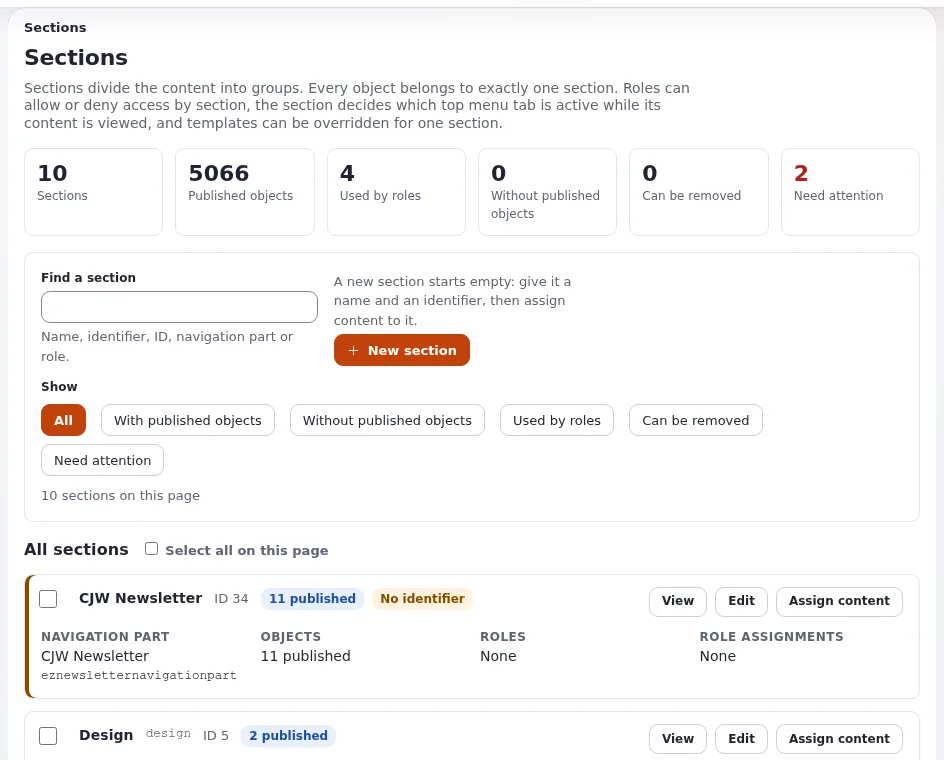
The Anonymous role reads Section Standard only. That one limitation keeps everything else away from visitors (2. The sections of a new installation).
Recipe: a members area
From 13.1 A members area:
- Create a section
Members area, identifiermembers_area. - Create a folder
Memberswith its pages. - On the section's card, Assign content and choose the folder.
- Logged out, the folder is gone from menus and gives "access denied".
- Give the members' role
content/readlimited to Section( Members area ).
Visitors who are not logged in and open a members page see the login page; after login they return to the page. Registration is on Member registration and members-only areas.
Recipe: staging before publishing
From 13.3 Staging content: a section Staging
that Anonymous may not read; editors build pages in their final place and assign them to Staging; releasing them is
one Assign content to Standard.
Recipe: a review stage with object states
- Setup > States: create a group
reviewwith the states Draft, In review, Approved (the first is the default) (4. Creating a group and its states). - Give Anonymous
content/readlimited to Section( Standard ) andStateGroup_review( Approved ). - Give authors
state/assignwithNewState( In review ); give reviewersstate/assignwithNewState( Approved ). - Authors publish and set In review; reviewers check and set Approved; only then visitors see the page.
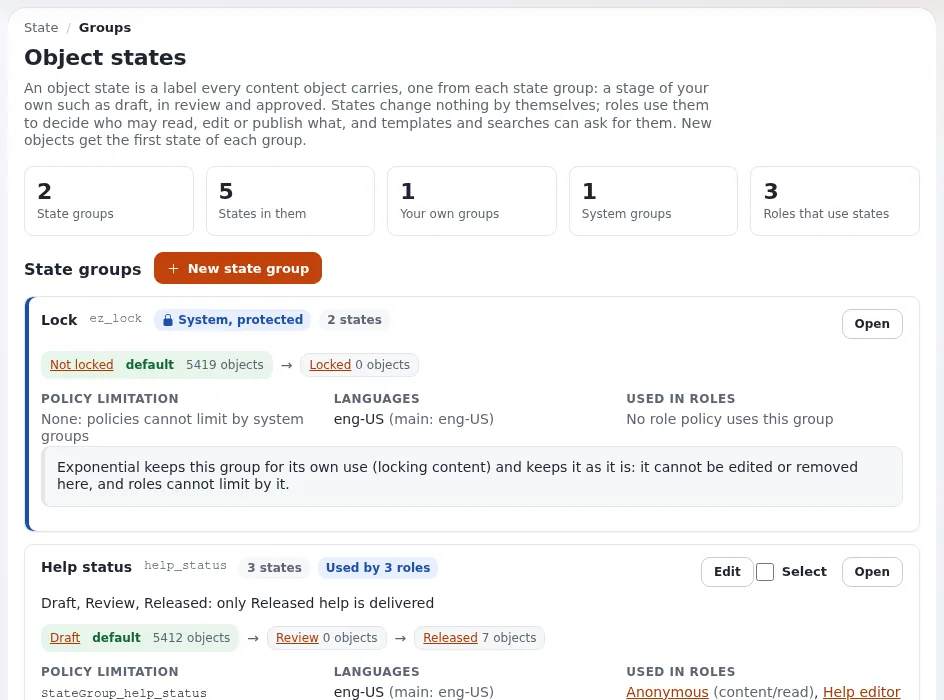
The full worked example is 9. A worked example: a review workflow. For an approval step before publishing (not after), see the approve event of workflows (Workflows).
Templates per section or state
# settings/siteaccess/<site>/override.ini.append.php
[full_members]
Source=node/view/full.tpl
MatchFile=full/members.tpl
Subdir=templates
Match[section_identifier]=members_area
A members design, a "draft" banner on unapproved pages, a different layout for staging: all are one rule each (Template overrides for site builders).
Tip
Identifiers are what templates and overrides use. Give every section and state group an identifier; the section list marks sections without one as needing attention.
Related pages
- Visitor permissions: the Anonymous role
- Roles and policies
- Structuring the content tree
- Free documentation: this page is free to copy, translate and improve under the GNU FDL 1.3.
Become an Exponential Partner
Partners share their information, provide funding, contribute back and develop the products with us, and that is how Exponential grows. A partner website and dashboard are planned for mid-2027: please become a partner today to speed up our growth rate and land new features faster.